16 Best Preventive Maintenance Software Tools for Effective Facility Management
Equipment failures are expensive, disruptive, and often preventable. That’s why more businesses are turning to preventive maintenance software to stay ahead of breakdowns and reduce costs. With the right system in place, you can automate maintenance schedules, track assets, and keep facilities safe and compliant. In this guide, we’ll explain what preventive maintenance is, its key benefits, and compare the best CMMS preventive maintenance software tools to help you choose the right fit for your business.
Everything you need to know about preventive maintenance software
What is planned preventive maintenance?
Planned preventive maintenance (PPM) is a proactive strategy where equipment and facilities are serviced on a regular schedule rather than waiting for breakdowns to occur. Tasks such as inspections, cleaning, lubrication, and part replacements are carried out at set intervals – monthly, quarterly, or annually. This reduces the risk of costly failures, extends asset lifespan, and ensures compliance with safety standards. Unlike reactive maintenance, PPM helps businesses stay in control and minimize downtime.
Why do you need preventive maintenance software?
Managing PPM with spreadsheets or paper quickly becomes inefficient and error-prone. Preventive maintenance management software automates scheduling, centralizes work orders, and provides real-time visibility into asset health. Instead of scrambling when something breaks, teams can rely on a structured system that assigns tasks, tracks progress, and alerts managers to potential issues. For industries where compliance and safety are critical – such as facilities, healthcare, or manufacturing – a CMMS preventive maintenance software solution ensures nothing slips through the cracks.
What are the benefits of preventive maintenance software?
Adopting preventive maintenance programs delivers measurable benefits across cost, safety, and performance. Companies that use software to support maintenance see:
-
Extended asset lifespan through timely servicing and part replacement
-
Reduced downtime thanks to planned repairs and inspections
-
Lower maintenance costs by preventing major breakdowns
-
Reduced financial losses that arise from asset downtime, asset failure, and unsafe working environments
-
Improved compliance with automated records and audit trails
-
Safer workplaces where risks are proactively managed
By standardizing workflows and providing analytics, preventive maintenance software helps managers optimize resources, make informed decisions, and prove ROI.
Best preventive maintenance software options for your business
| Tool | Best for | Pricing | Review scores |
| Einpix | Best overall | From €12 per user/month (min. 5 users) | ★ 5/5 Capterra
★ 5/5 GetApp |
| Fiix | Data-driven maintenance teams | $45 Basic / $75 Professional / Enterprise custom | ★ 4.5/5 – Capterra
★ 4.6/5 – G2 |
| Velappity | Compliance-led inspections and PPM | £15 Bronze / £30 Silver / £50 Gold per user/month | ★ 4.2/5 – Apple App Store |
| UpKeep | Mobile-first maintenance | $20 Essential / $45 Premium / higher tiers custom | ★ 4.5/5 – G2
★ 4.6/5 – Capterra |
| eMaint | Enterprises needing compliance & auditability | Unlisted | ★ 4.5/5 – Gartner
★ 4.5/5 – G2 |
| Limble | Fast rollout and automation | $28 Standard / $69 Premium+ / Enterprise custom | ★ 4.8/5 – G2
★ 4.8/5 – Capterra |
| MaintainX | Multi-site operations | $20 Essential / $65 Premium / Enterprise custom | ★ 4.8/5 – Capterra
★ 4.8/5 – G2 |
| FMX | Facilities and education teams | Unlisted | ★ 4.7/5 – Capterra
★ 4.7/5 – G2 |
| Fleetio | Fleet maintenance management | From ~$5 per vehicle/month | ★ 4.6/5 – G2
★ 4.8/5 – Capterra |
| Maintenance Connection | Enterprise asset-heavy industries | Custom quote | ★ 4.5/5 – Capterra
★ 4.4/5 – G2 |
| SafetyCulture | Safety and inspection-led maintenance | From $29 per user/month | ★ 4.6/5 – Capterra
★ 4.6/5 – G2 |
| IFS Ultimo | Enterprise-wide asset management | Custom quote | ★ 4.4/5 – Capterra
★ 4.5/5 – Gartner |
| Alldevice | Simplicity and ease of use | Custom quote | None available |
| Hippo CMMS | Straightforward preventive maintenance workflows | Custom quote | ★ 4.4/5 – Software Finder |
| Click Maint CMMS | Healthcare and compliance-heavy industries | From $42 per user/month | ★ 4.7/5 – G2
★ 4.8/5 – Capterra |
| Fracctal One | IoT-enabled preventive maintenance | Custom pricing | ★ 4.6/5 – G2
★ 4.6/5 – Capterra |
1. Einpix – best overall
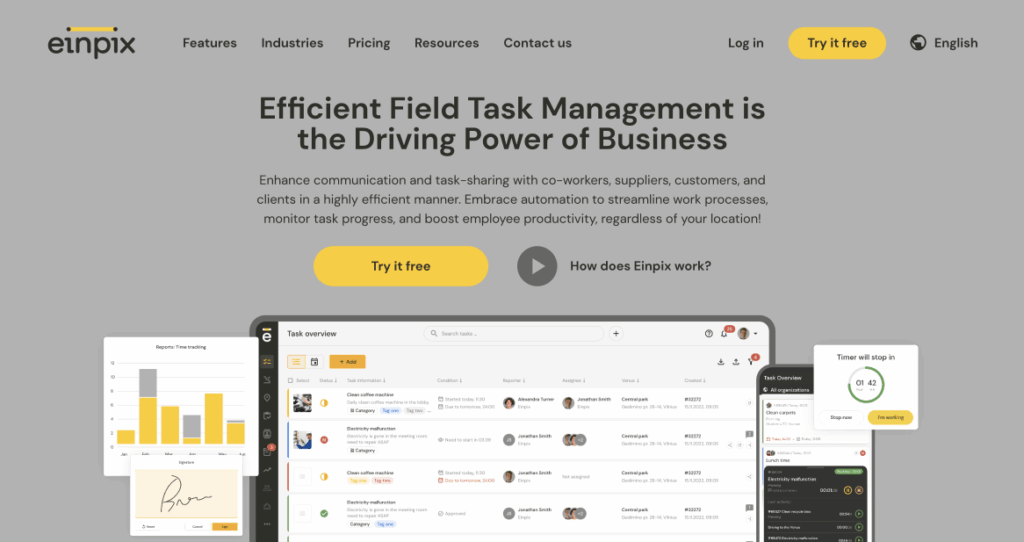
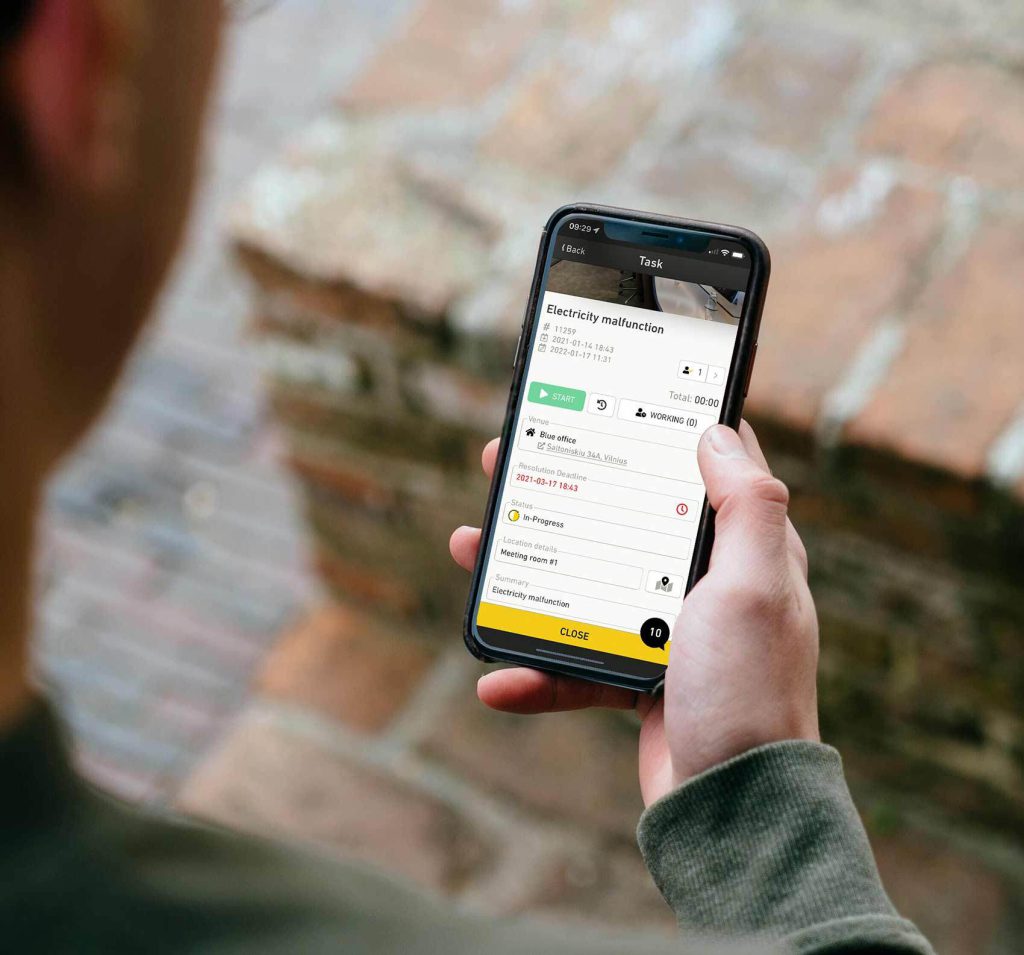
Einpix is an all-in-one preventive maintenance management software designed to help businesses cut downtime, reduce costs, and extend equipment lifespan. With a clean mobile app and powerful backend, it streamlines everything from asset tracking to work order management.
Best features
-
IoT integration – Einpix connects directly with IoT-enabled equipment to capture real-time data. This allows businesses to schedule predictive maintenance tasks based on actual machine conditions, reducing the risk of costly failures.
-
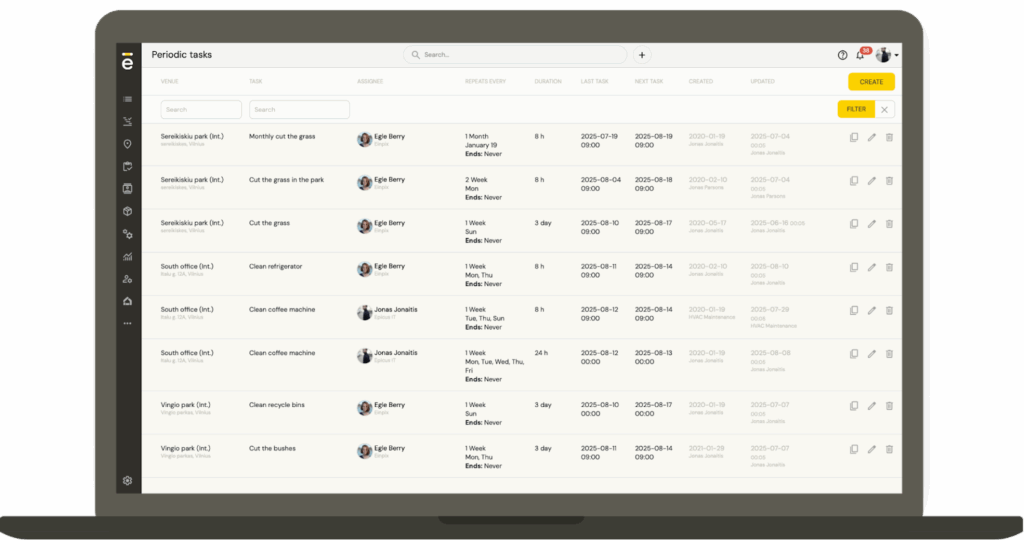
Preventive maintenance scheduling – Plan maintenance tasks in advance to prevent costly incidents, especially for IoT-connected equipment.
-
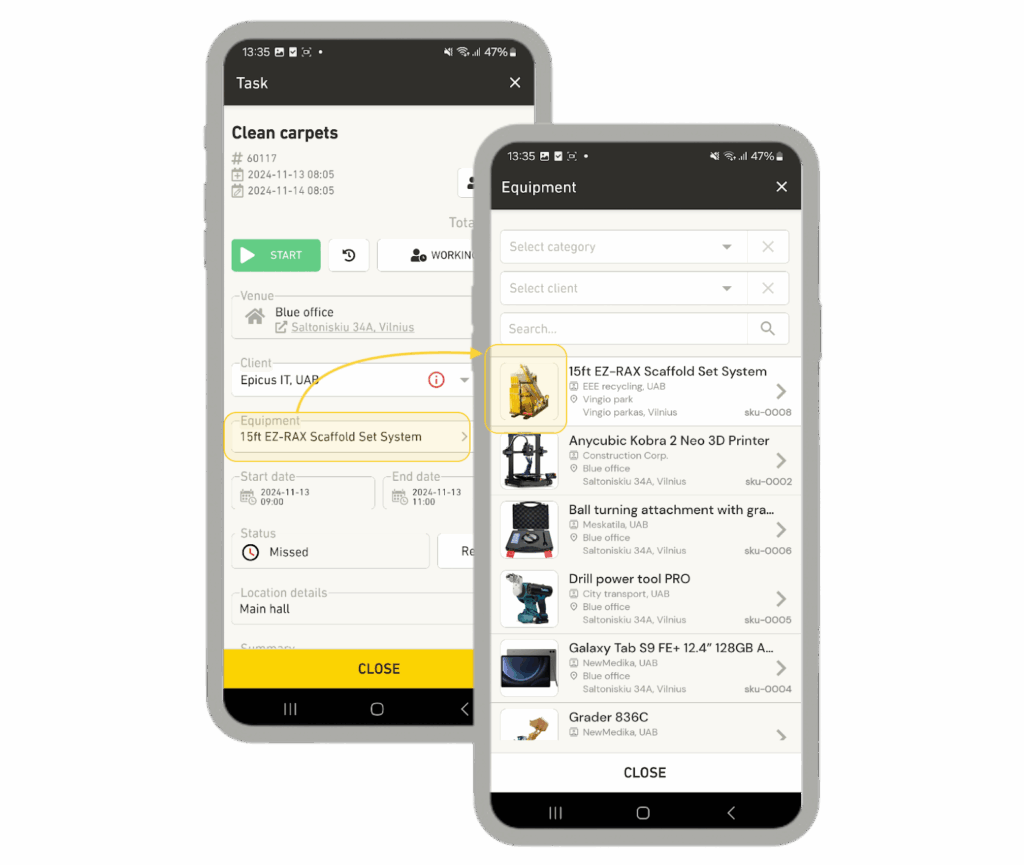
Mobile accessibility – Technicians can access work orders, customer details, and equipment info directly from the mobile app, reducing paperwork and boosting productivity.
-
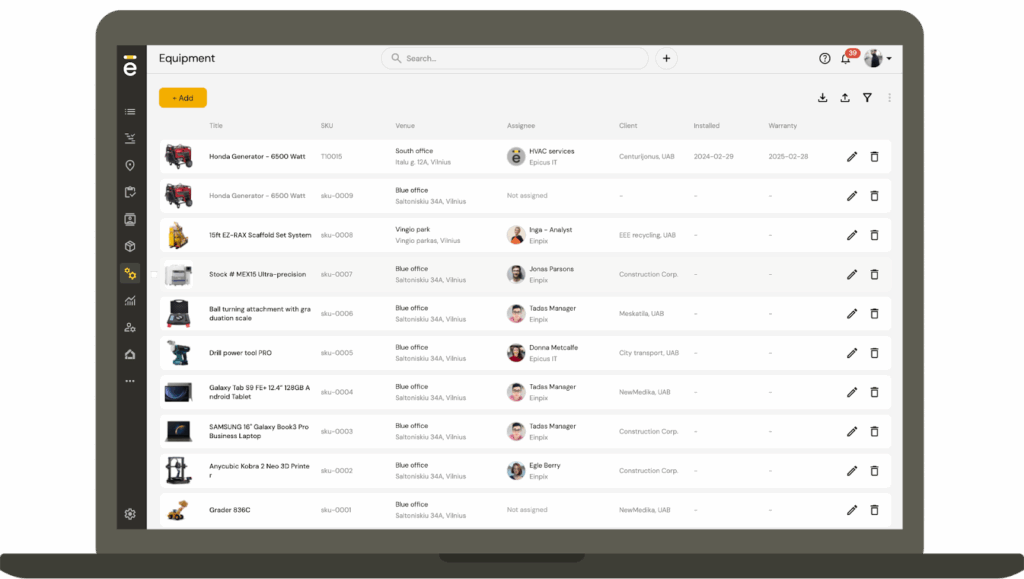
Asset tracking & management – Keep track of the status and location of all tools and equipment, reducing loss and ensuring the right instruments are available when needed.
-
Accessible API – Seamlessly integrate Einpix with third-party tools for data collection, analytics, and automation.
-
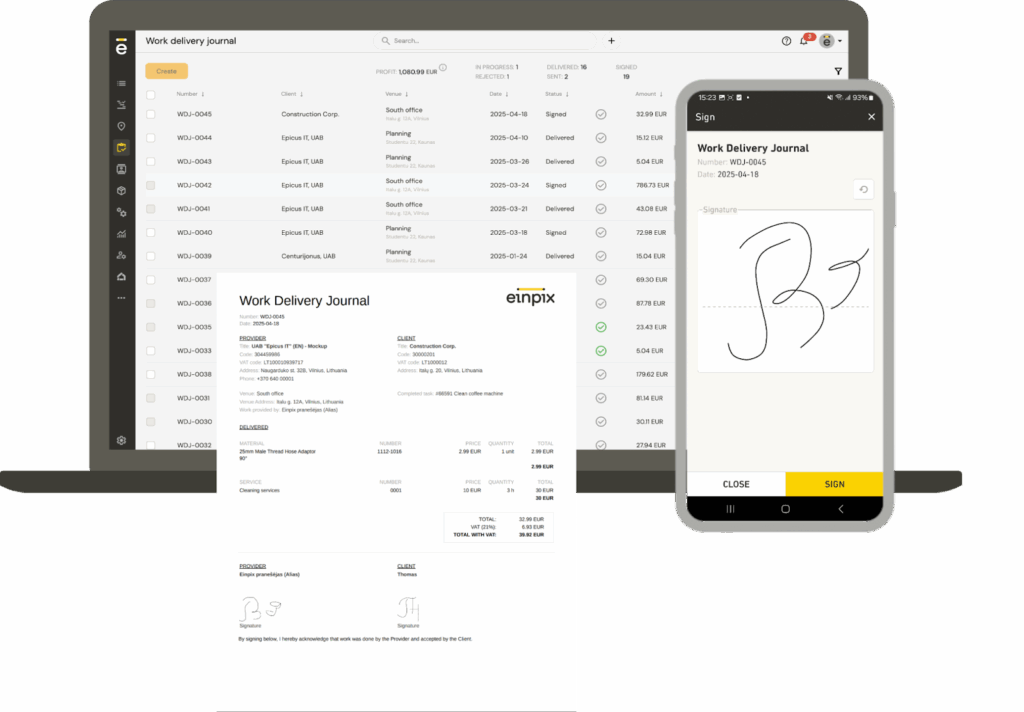
Work order management – Field staff can create, update, and close work orders on the go, cutting down on admin and encouraging accurate record-keeping.
-
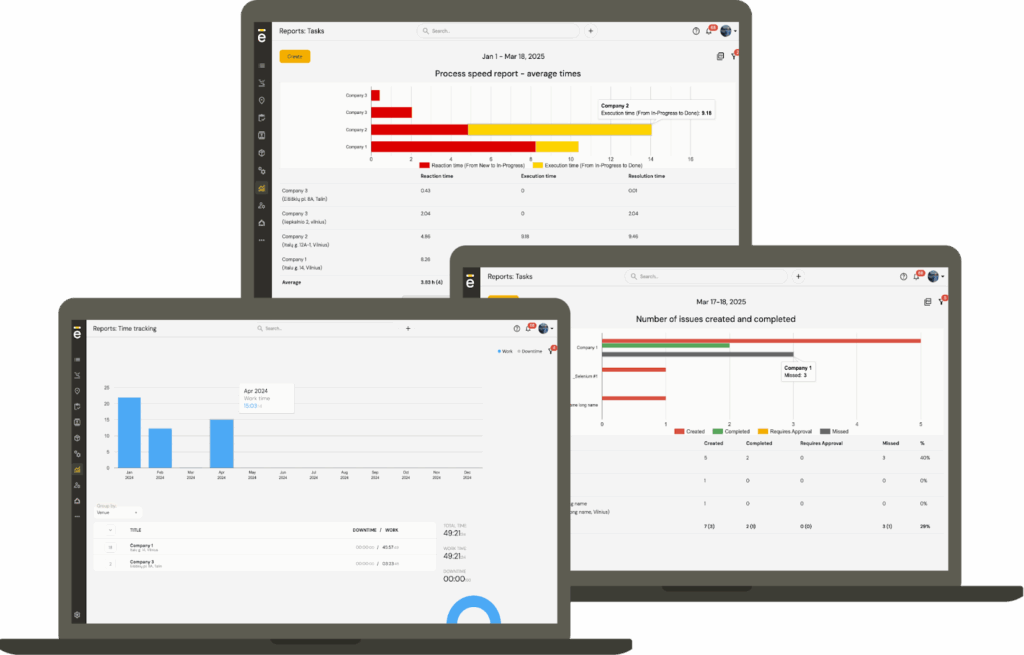
Reporting & analytics – Track maintenance performance, technician efficiency, and customer satisfaction, making it easier to identify training needs or equipment upgrades.
Pros
✔ Affordable pricing with discounts on annual plans
✔ Open API for easy integrations
✔ Dedicated apps for iOS and Android
Cons
✗ Lacks advanced features like automated route planning, SMS messaging, and payment collection
✗ Document storage is limited to task and equipment records, without a full folder structure
✗ No built-in financial management tools
Pricing
Einpix plans start at just €12 per user per month for 5+ users, making us one of the cheapest field service management tools on the market. Save 15% by signing up for an annual contract.
Review scores
★ 5/5 – Capterra | ★ 5/5 GetApp
2. Fiix – best for data-driven maintenance teams
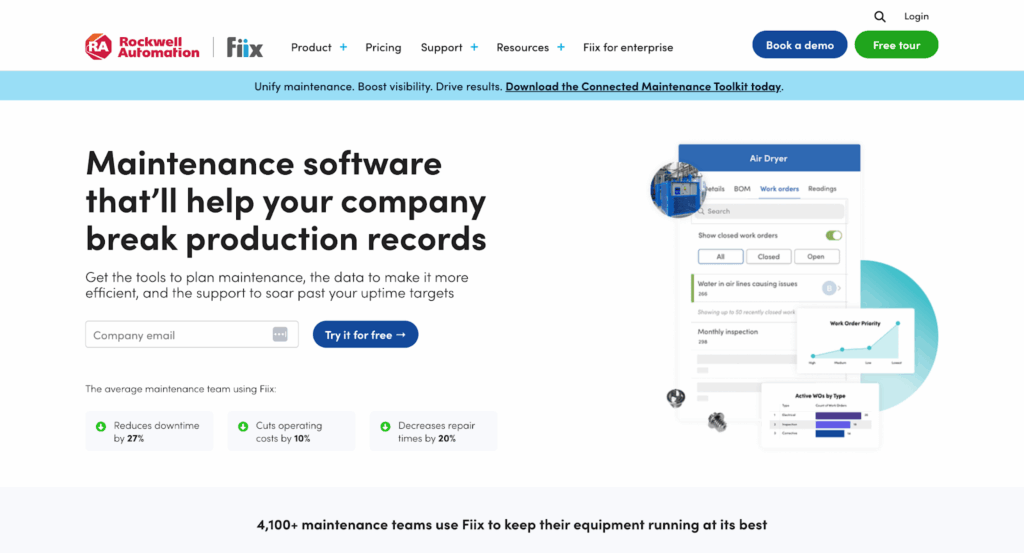
Fiix is a cloud-based CMMS that places heavy emphasis on data and analytics. It’s designed for teams that want more than just a scheduling tool – Fiix helps organizations capture, connect, and analyze maintenance data to drive smarter decisions.
Best features
-
AI-powered Asset Risk Predictor – Uses machine learning to analyze asset data and predict the likelihood of failure. This allows managers to prioritise repairs before downtime occurs.
-
Data-rich reporting dashboards – Visualize KPIs such as mean time between failures (MTBF), cost per asset, and preventive compliance rates. Perfect for managers who need to justify ROI to stakeholders.
-
Customizable integrations – Connects easily with ERP, production, and IoT systems, ensuring maintenance data flows into wider business analytics.
-
Mobile app – Field technicians can log tasks, attach photos, and access asset histories in real time, keeping data accurate and complete.
Pros
✔ Strong analytics and reporting features
✔ Free plan available for smaller teams
✔ Wide integration ecosystem
Cons
✗ Advanced analytics require higher tiers
✗ May feel complex for small organizations
Pricing
Offers a free-for-life plan for creating work orders, managing preventive maintenance tasks, and building asset hierarchies. Basic plan starts at $45 per user/month. Enterprise plans are quote-based.
Review scores
★ 4.5/5 – Capterra | ★ 4.6/5 G2
3. Velappity – best for compliance-led inspections and PPM
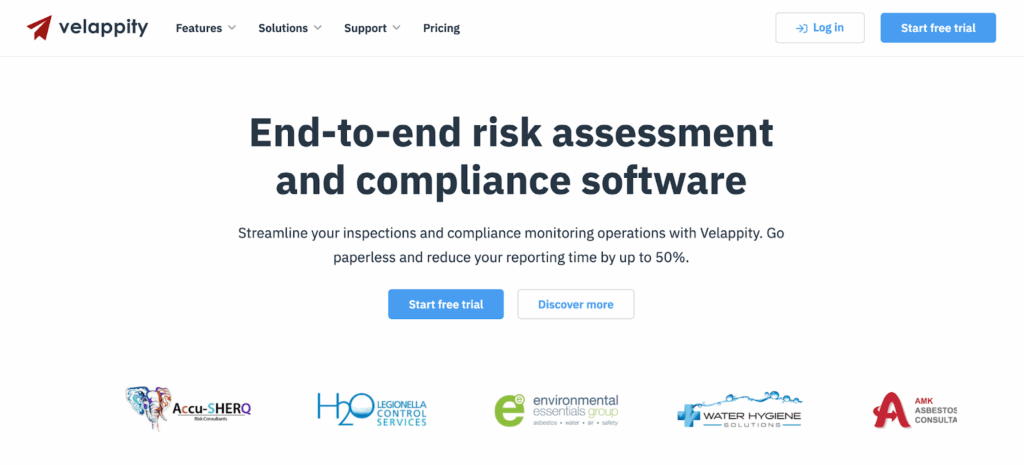
Velappity is tailored for businesses where compliance, inspections, and reporting are central to operations. It’s especially useful for facilities management and contractors working under strict safety and legal frameworks.
Best features
-
Custom inspection forms – Build digital forms for safety checks, compliance audits, or routine inspections without coding.
-
Planned preventive maintenance scheduling – Automate recurring inspections and servicing to meet compliance requirements.
-
Client portal – Share inspection results and maintenance schedules with clients in real time, improving trust and transparency.
-
Compliance reporting – Generate branded, audit-ready reports that demonstrate adherence to safety standards.
Pros
✔ Excellent compliance and reporting focus
✔ Client-facing portal strengthens relationships
✔ Easy form customization
Cons
✗ Narrower focus than full-featured CMMS tools
✗ May lack enterprise-grade asset management
Pricing
Plans start at £15 per user/month, scaling to £50 for the Gold plan.
Review scores
★ 4.2/5 – Apple App Store
4. UpKeep – best for mobile-first maintenance
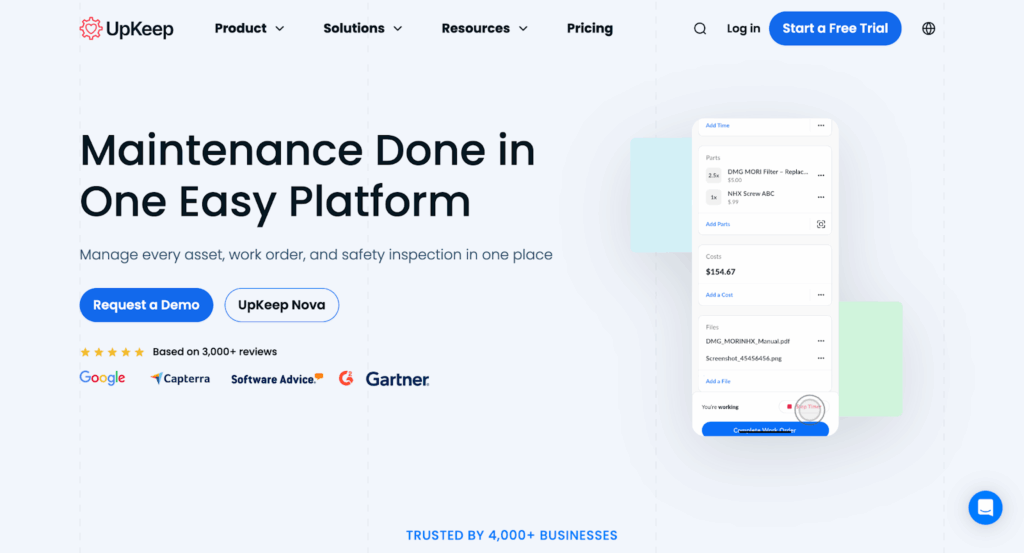
UpKeep is designed with mobility at its core, making it ideal for field-based teams that need fast, intuitive tools. Its emphasis on user experience ensures technicians can adopt it quickly, reducing training overhead.
Best features
-
Mobile-first interface – Technicians can create, update, and close work orders from a smartphone or tablet, even attaching photos to document issues.
-
Condition-based scheduling – Maintenance can be triggered by IoT sensors or meter readings, ensuring work is performed only when needed.
-
Parts and inventory tracking – Keeps spares linked to assets and alerts staff when stock levels are running low, avoiding delays.
-
Customizable workflows – Tailor checklists and work order fields to match real-world processes.
Pros
✔ User-friendly mobile experience
✔ Strong inventory management tools
✔ Fast rollout with minimal training
Cons
✗ Limited flexibility at lower price tiers
✗ Advanced analytics locked to higher plans
Pricing
Essential starts at $20 per user/month, Premium at $45. Higher tiers are quote-based.
Review scores
★ 4.5/5 – G2 | ★ 4.6/5 – Capterra
5. eMaint – best for enterprises needing compliance and auditability
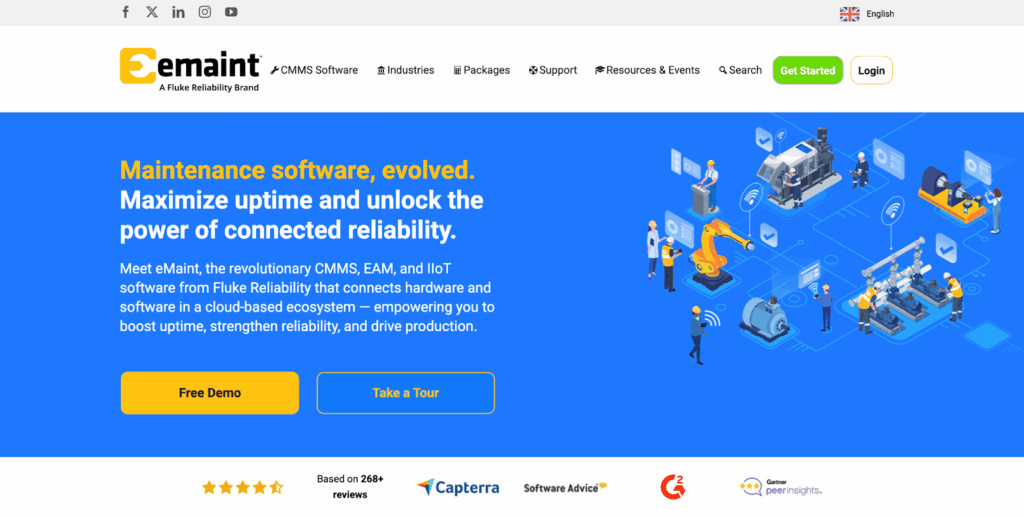
eMaint, part of Fluke Reliability, is aimed squarely at large, regulated organizations. With powerful scheduling and compliance capabilities, it helps enterprises reduce downtime while maintaining strict audit trails.
Best features
- Visual scheduling – Drag-and-drop interface to plan preventive maintenance across large fleets of assets.
-
Sensor integration – Connects directly to Fluke sensors and SCADA systems, enabling predictive maintenance from live asset data.
-
Audit-ready reporting – Logs every work order, approval, and change for easy regulatory compliance.
-
Multi-site management – Standardize processes across multiple facilities while still allowing local flexibility.
Pros
✔ Excellent compliance support
✔ Predictive maintenance with Fluke sensors
✔ Scales across global enterprises
Cons
✗ Higher pricing than mid-market tools
✗ User interface less modern than newer CMMS
Pricing
Unlisted
Review scores
★ 4.5/5 – Gartner | ★ 4.5/5 – G2
6. Limble – best for fast rollout and automation
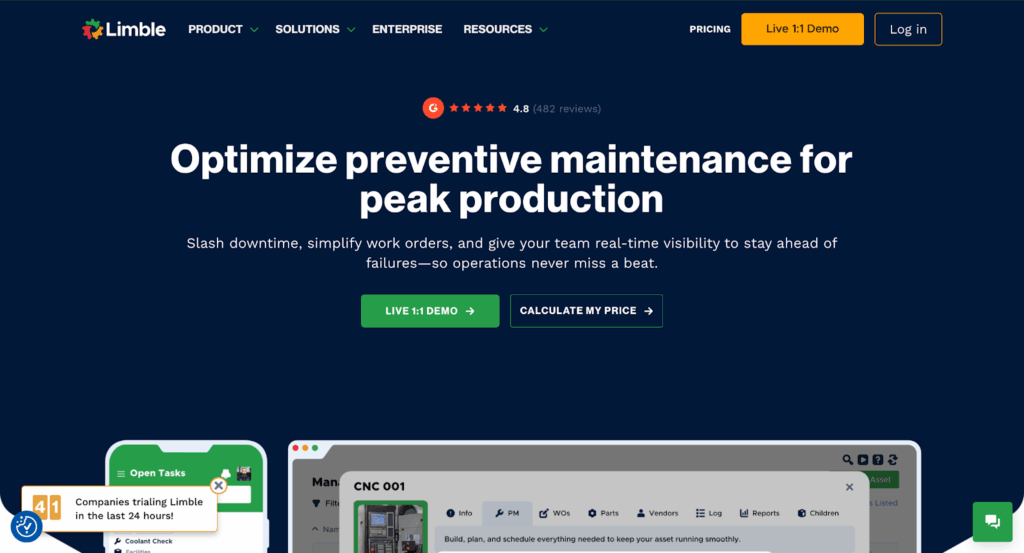
Limble is a modern CMMS designed for quick adoption. Its focus on automation and ease-of-use makes it a good choice for organizations scaling preventive maintenance programs without heavy IT support.
Best features
-
Automated PM scheduling – Create recurring tasks based on time, usage, or meter readings to prevent unexpected downtime.
-
Mobile app with offline mode – Technicians can update work orders on site even without internet access.
-
Asset and inventory management – Track asset history, locations, and spare parts in one platform.
-
API and IoT integrations – Connect to third-party systems and IoT devices for more advanced automation.
Pros
✔ Very easy to set up and use
✔ Unlimited requesters included
✔ Transparent pricing
Cons
✗ Some advanced features limited to higher tiers
✗ Reporting dashboards can feel overwhelming initially
Pricing
Standard plan is $28 per user/month, Premium+ is $69. Enterprise pricing is custom.
Review scores
★ 4.8/5 – G2 | ★ 4.8/5 – Capterra
7. MaintainX – best for multi-site operations
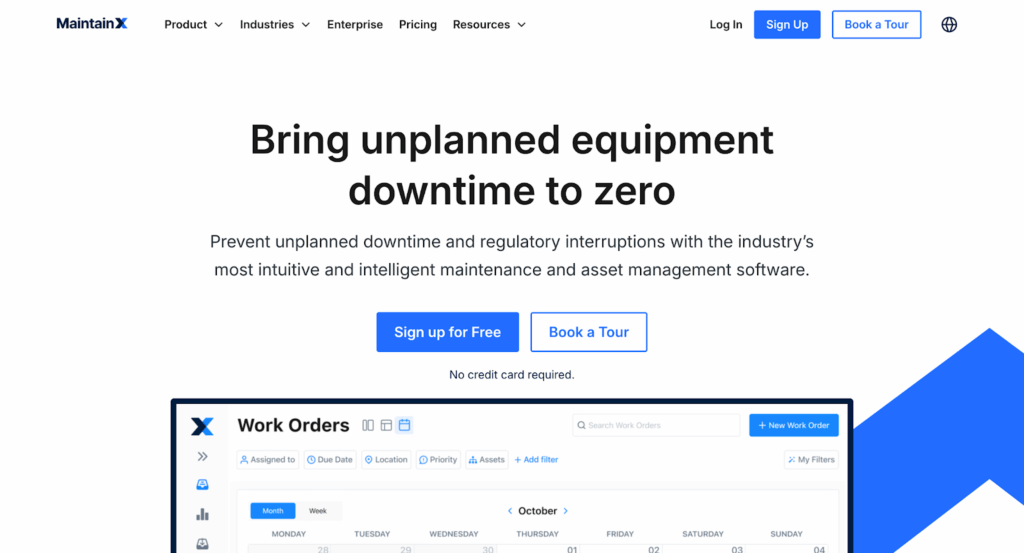
MaintainX is designed for organizations that need to standardize processes across multiple facilities. It combines strong preventive maintenance scheduling with workflow automation and enterprise controls.
Best features
-
Time-, meter-, and condition-based PM – Create flexible maintenance schedules triggered by usage or real-time asset data.
-
Multi-site management – Standardize preventive maintenance programs while keeping site-level reporting.
-
Workflow automation – Automate escalations, approvals, and task assignments to ensure consistent execution.
-
IoT and OT integrations – Enterprise plans include connections to sensors and operational technology systems for advanced condition monitoring.
Pros
✔ Excellent for scaling across facilities
✔ Strong automation tools
✔ Clean, modern user interface
Cons
✗ IoT integrations limited to Enterprise plan
✗ Higher costs for Premium tier may deter small teams
Pricing
Free-for-life plan includes unlimited work orders. Essential is $20 per user/month, Premium is $65. Enterprise is custom priced.
Review scores
★ 4.8/5 – Capterra | ★ 4.8/5 – G2
8. FMX – best for facilities and education teams
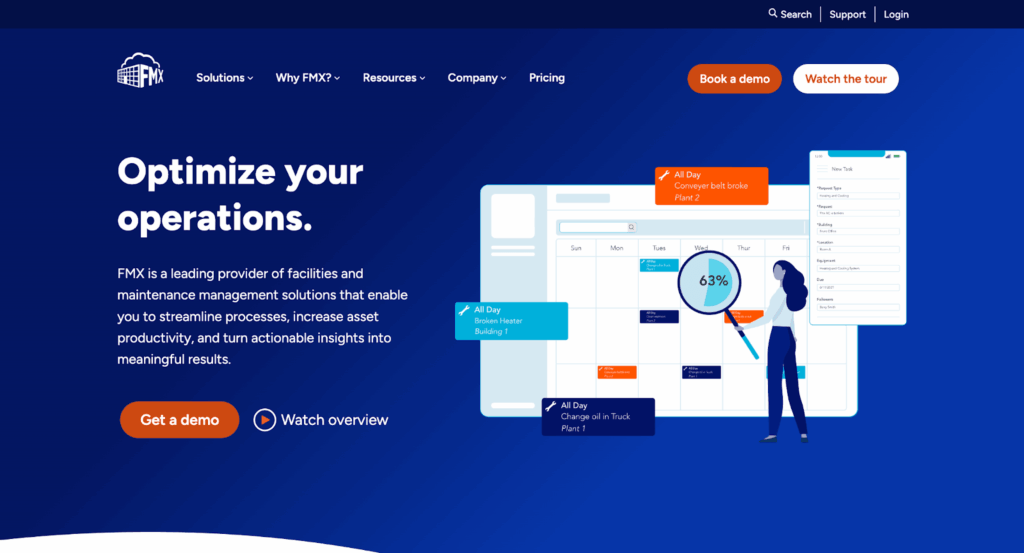
FMX focuses on facilities and education organizations, making preventive maintenance simple to plan, execute, and report. It’s a practical choice for teams that value clarity over complexity.
Best features
-
Calendar-based scheduling – Easily create recurring PM tasks tied to dates or meter readings.
-
Custom checklists – Attach step-by-step instructions to work orders so nothing is missed.
-
Work request portal – Staff and tenants can submit requests directly into the system, reducing admin.
-
Flexible reporting exports – Generate reports in CSV, Excel, or PDF to share with auditors or leadership.
Pros
✔ Very user-friendly
✔ Great fit for facilities and schools
✔ Strong reporting tools
Cons
✗ Pricing not transparent – quote only
✗ Fewer predictive features than enterprise CMMS
Pricing
Available via custom quote, typically based on number of users or size of organization.
Review scores
★ 4.7/5 – Capterra | ★ 4.7/5 – G2
9. Fleetio – best for fleet maintenance management
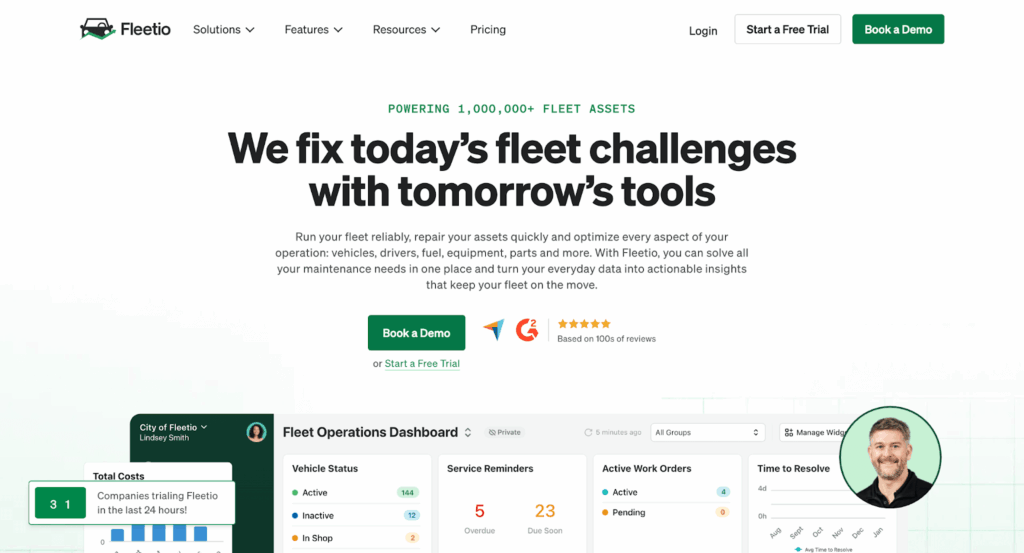
Fleetio is a dedicated fleet management and maintenance platform that helps businesses keep vehicles safe, compliant, and cost-effective. It goes beyond standard CMMS by focusing on fuel tracking, inspections, and telematics.
Best features
-
Automated service reminders – Schedule preventive maintenance for each vehicle based on mileage, time, or usage.
-
Mobile inspections – Drivers can complete digital inspections before and after trips, reducing compliance risks.
-
Fuel management – Track fuel consumption and identify inefficiencies across the fleet.
-
Integration with telematics – Connects to GPS and telematics devices for real-time mileage and condition data.
Pros
✔ Tailored specifically for fleets
✔ Strong integration with telematics providers
✔ Easy-to-use mobile app for drivers and managers
Cons
✗ Narrow focus on vehicles – not suitable for wider asset management
✗ Pricing scales quickly with fleet size
Pricing
Plans start at around $5 per vehicle/month depending on features.
Review scores
★ 4.6/5 – G2 | ★ 4.8/5 – Capterra
10. Maintenance Connection – best for enterprise asset-heavy industries
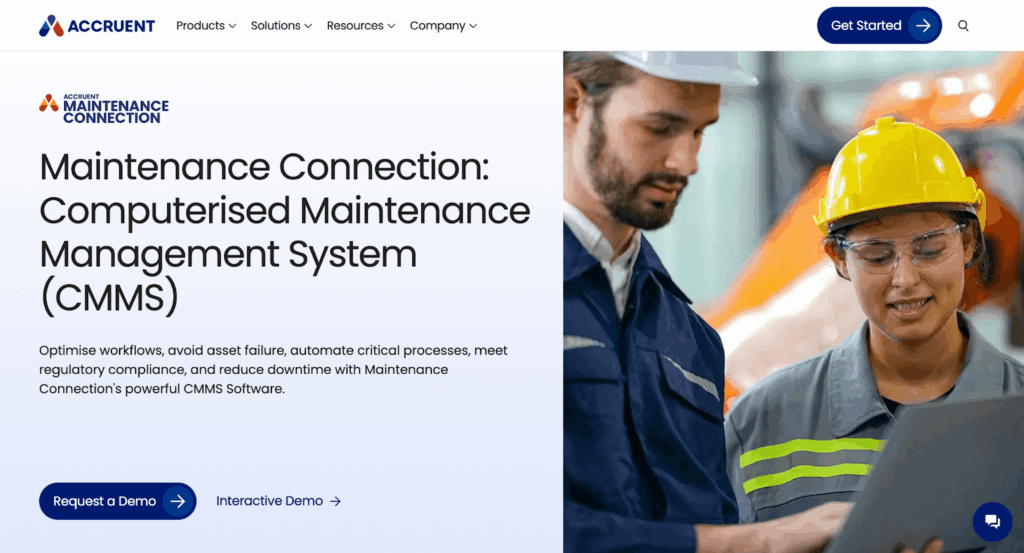
Maintenance Connection is an enterprise-grade CMMS designed for manufacturing, utilities, and large asset-intensive industries. It balances preventive maintenance scheduling with advanced asset management and reporting.
Best features
-
Preventive maintenance library – Pre-built templates to quickly launch maintenance programs.
-
Advanced asset hierarchy – Track complex assets, sub-components, and facilities.
-
Custom reporting and dashboards – Build detailed reports for cost analysis, compliance, and performance.
-
Mobile CMMS – Access work orders and asset data on the go.
Pros
✔ Built for asset- industries
✔ Robust preventive maintenance scheduling
✔ Strong support for compliance reporting
Cons
✗ Higher pricing, with quotes required
✗ Can feel complex for smaller teams
Pricing
Available via custom quote.
Review scores
★ 4.5/5 – Capterra | ★ 4.4/5 – G2
11. SafetyCulture – best for safety and inspection-led maintenance
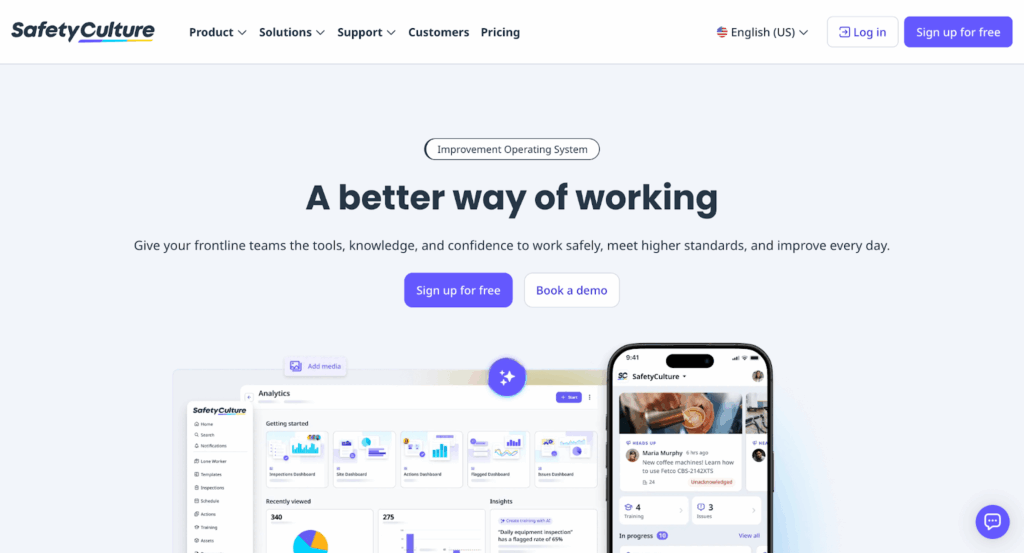
SafetyCulture (formerly iAuditor) is an inspection and audit platform that can also support preventive maintenance programs. Its focus is on safety, compliance, and standardized workflows.
Best features
-
Analytics dashboards – Spot recurring safety or equipment issues to prevent failures.
-
Custom digital checklists – Create and assign inspection templates for equipment and facilities.
-
Issue tracking – Raise issues during inspections and convert them into actions or work orders.
-
Mobile-first design – Built for frontline workers to complete checks quickly.
Pros
✔ Strong compliance and safety inspection focus
✔ Easy to build and share checklists
✔ Scales across large distributed teams
Cons
✗ Limited full CMMS features (e.g. inventory, advanced asset tracking)
✗ Better suited as an add-on rather than standalone CMMS
Pricing
Free for up to 10 seats and five active templates. Paid plans start at $29 per seat/month.
Review scores
★ 4.6/5 – Capterra | ★ 4.6/5 – G2
12. IFS Ultimo – best for enterprise-wide asset management
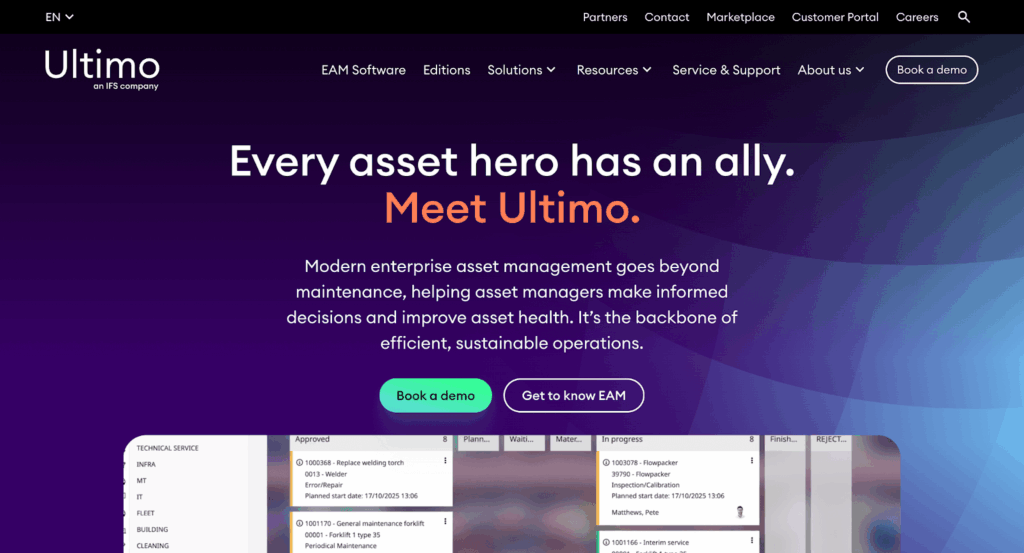
IFS Ultimo is an enterprise asset management (EAM) platform that includes robust preventive maintenance tools alongside health & safety and IT asset management capabilities. It’s aimed at complex organizations needing a single system of record.
Best features
-
Advanced preventive maintenance scheduling – Plan maintenance across thousands of assets with time-, meter-, or condition-based triggers.
-
Multi-department modules – Manage not only maintenance, but also HSE, facilities, and IT assets.
-
Powerful reporting – Access BI-style dashboards to monitor costs, downtime, and compliance.
-
Scalable deployment – Supports both cloud and on-premise setups for enterprise flexibility.
Pros
✔ Enterprise-grade functionality across multiple domains
✔ Strong compliance and HSE support
✔ Flexible deployment options
Cons
✗ Steeper learning curve
✗ Pricing on the higher side, with quotes required
Pricing
Enterprise pricing available on request.
Review scores
★ 4.4/5 – Capterra | ★ 4.5/5 – Gartner
13. Alldevice – best for simplicity and ease of use
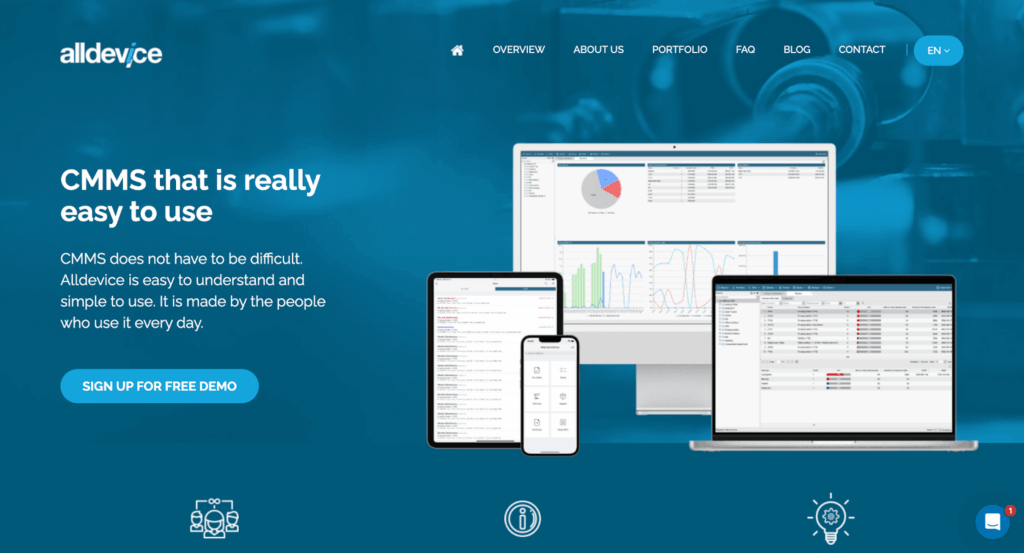
Alldevice is a straightforward CMMS designed to make preventive maintenance accessible for any organization. The platform is built by people who use it daily, so the interface is intuitive and simple to adopt.
Best features
-
Task planning – Create, assign, and track maintenance tasks with minimal setup.
-
Device information management – Store and access key details about any device or asset in a central database.
-
Automated tasks – Schedule recurring preventive maintenance activities so nothing gets missed.
-
Failure analysis – Identify problem devices quickly and prioritize corrective actions.
-
Reporting tools – Generate clear, detailed reports to track maintenance history and performance.
-
Mobile-friendly access – Use Alldevice on smartphones and computers, with NFC tag support for quick access to asset data in the field.
-
Photo uploads – Capture and attach images to work orders for better context and record-keeping.
Pros
✔ Very easy to use, with a clean and intuitive interface
✔ Supports NFC tags and mobile access for field teams
✔ Unlimited user potential and multilingual support
Cons
✗ Pricing not published – must request a quote
✗ Lacks some advanced enterprise CMMS features (e.g. deep integrations, IoT data collection)
✗ Do not support Offline mode
Pricing
Pricing not publicly available – businesses must contact Alldevice for a tailored offer.
14. Hippo CMMS – best for straightforward preventive maintenance workflows

Hippo CMMS is designed for organizations that want a simple, easy-to-manage maintenance platform without the complexity of enterprise-heavy systems. It’s especially popular with facilities teams, schools, and mid-sized businesses looking to move away from spreadsheets and manual scheduling.
Best features
- Preventive maintenance scheduling – Automatically schedule recurring maintenance tasks based on dates, usage, or custom intervals.
- Work order management – Create, assign, and track maintenance requests through a centralized dashboard.
- Asset tracking – Store maintenance histories, manuals, warranties, and service records in one place.
- Interactive floor plans and maps – Visualize assets and maintenance locations directly within facility layouts for faster navigation and planning.
- Mobile access – Technicians can update work orders and access asset data from the field.
Pros
✔ User-friendly interface with minimal training required
✔ Strong facilities management capabilities
✔ Good balance of functionality and simplicity
Cons
✗ Fewer advanced predictive maintenance tools than some competitors
✗ Pricing not publicly available
Pricing
Custom quote only.
Review scores
★ 4.4/5 – Software Finder
15. Click Maint CMMS – best for healthcare and compliance-heavy industries
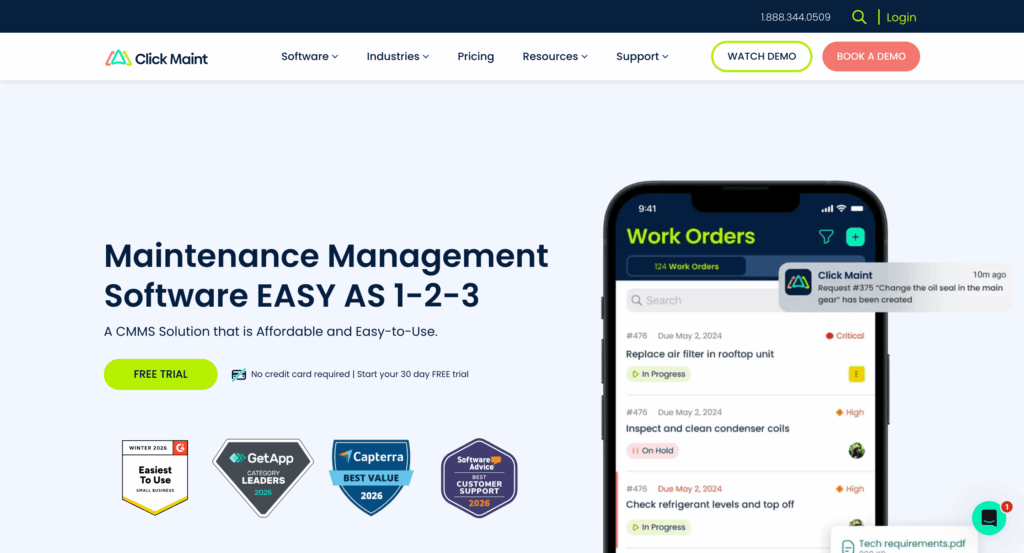
Click Maint CMMS is a cloud-based maintenance platform focused on helping organizations improve compliance, reduce downtime, and simplify preventive maintenance workflows. It’s particularly well suited to healthcare, manufacturing, and other industries where maintenance documentation and audit trails are critical.
Best features
- Preventive maintenance automation – Schedule recurring inspections and maintenance tasks to improve equipment reliability and reduce unexpected failures.
- Compliance and audit tracking – Maintain detailed maintenance histories and digital records to support regulatory compliance.
- Asset lifecycle management – Track repairs, warranties, costs, and maintenance history for every asset.
- Mobile work orders – Technicians can receive updates, close tasks, and upload photos directly from mobile devices.
- Inventory management – Monitor spare parts availability and avoid delays caused by missing inventory.
Pros
✔ Strong compliance and reporting capabilities
✔ Clean, easy-to-use interface
✔ Good value for small and mid-sized teams
Cons
✗ Less advanced IoT functionality than enterprise EAM tools
✗ Customization options may feel limited for larger organizations
Pricing
Plans start at $42 per user/month.
Review scores
★ 4.7/5 – G2 | ★ 4.8/5 – Capterra
16. Fracttal One – best for IoT-enabled preventive maintenance
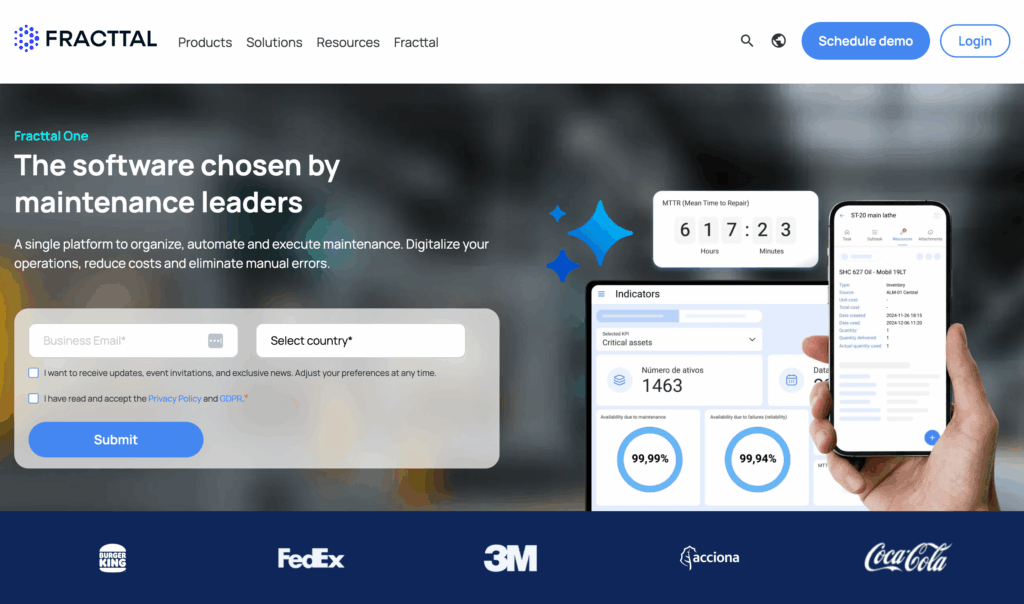
Fracttal One is a modern CMMS and EAM platform that combines preventive maintenance with IoT connectivity, condition monitoring, and predictive analytics. It’s designed for businesses that want to move beyond basic scheduling and build a more data-driven maintenance strategy.
Best features
- IoT and condition monitoring – Connect IoT sensors directly to the platform to monitor asset health in real time and automatically trigger maintenance actions.
- Predictive maintenance capabilities – Use live equipment data and analytics to identify early warning signs of failures before they cause downtime.
- Mobile-first maintenance management – Technicians can manage work orders, inspections, and assets from smartphones or tablets.
- Asset lifecycle tracking – Centralize asset documentation, maintenance records, costs, and service histories in one system.
- Advanced dashboards and analytics – Visualize KPIs, downtime trends, and maintenance performance across facilities and assets.
Pros
✔ Strong IoT and predictive maintenance focus
✔ Modern, mobile-friendly interface
✔ Excellent analytics and reporting tools
Cons
✗ Advanced functionality may require additional onboarding time
✗ Pricing not fully transparent for enterprise deployments
Pricing
Custom pricing available on request.
Review scores
★ 4.6/5 – G2 | ★ 4.6/5 – Capterra
How to choose preventive maintenance software
Choosing the right preventive maintenance software is about more than comparing feature lists. The best platform for your business will depend on your industry, team size, maintenance maturity, and long-term goals. A small facilities team may prioritize ease of use and affordability, while a large manufacturer might need advanced IoT integrations and predictive analytics.
Here are the most important factors to consider before investing in a preventive maintenance platform.
Start with your maintenance goals
Before comparing vendors, think about what you’re trying to improve. Are you mainly looking to:
- Reduce equipment downtime?
- Improve compliance and audit readiness?
- Replace spreadsheets or paper-based workflows?
- Extend asset lifespan?
- Introduce predictive maintenance using IoT data?
Clearly defining your priorities will make it easier to identify which features actually matter for your business.
Look for strong preventive maintenance scheduling
At its core, preventive maintenance software should make scheduling easy and reliable. Look for systems that allow you to create recurring maintenance tasks based on:
- Time intervals
- Meter readings
- Asset usage
- Condition-based triggers
Automation is especially important. The best tools automatically generate work orders and notify technicians before tasks become overdue.
Prioritize mobile usability
Maintenance teams rarely sit behind desks. Technicians need to access work orders, update tasks, attach photos, and review asset histories while working on-site.
A well-designed mobile app can:
- Reduce paperwork
- Speed up communication
- Improve record accuracy
- Increase technician adoption
If the mobile experience feels clunky or overly complicated, adoption across your team may suffer.
Consider IoT and condition monitoring capabilities
Modern preventive maintenance programs increasingly rely on IoT-connected sensors to monitor equipment in real time. These sensors can track:
- Temperature
- Vibration
- Pressure
- Energy consumption
- Running hours
When integrated with your maintenance software, this data can automatically trigger maintenance tasks before failures occur. Businesses with critical equipment or high downtime costs should strongly consider platforms with built-in IoT support.
Evaluate reporting and analytics tools
Good reporting helps maintenance managers prove ROI and identify areas for improvement. At a minimum, your software should track:
- Downtime trends
- Preventive maintenance completion rates
- Asset repair history
- Maintenance costs
- Technician productivity
Advanced platforms may also include dashboards for KPIs such as MTBF (mean time between failures) and MTTR (mean time to repair).
Make sure the software can scale with your business
A platform that works for a small team today may become restrictive as your operations grow. Consider whether the software can support:
- Multiple facilities or sites
- Larger asset inventories
- Additional users and teams
- Advanced workflows and permissions
- Integrations with ERP or inventory systems
Choosing scalable software early can save significant migration headaches later.
Check integration options carefully
Preventive maintenance software shouldn’t operate in isolation. Many businesses already rely on accounting systems, ERP platforms, inventory tools, or facility management software.
Strong integrations reduce duplicate data entry and help maintenance workflows connect smoothly with the rest of the business. Open APIs can also make it easier to build custom workflows as your needs evolve.
Don’t overlook onboarding and ease of adoption
Even the most feature-rich platform will struggle if technicians don’t actually use it. Ease of onboarding is often just as important as functionality.
Look for software that offers:
- An intuitive interface
- Simple setup processes
- Training resources and support
- Fast work order creation
- Minimal admin overhead
The easier the system is to use, the more likely your team is to adopt it consistently.
Key features to look for in preventive maintenance software
To build this list, we reviewed insights from multiple industry reports and software comparison guides, as well as vendor documentation covering over a dozen leading preventive and predictive maintenance tools. By analyzing the features most frequently highlighted across these platforms, we’ve distilled a set of core capabilities that any business should look for when evaluating CMMS preventive maintenance software.
| Feature area | Why it matters |
| IoT integration | Automates maintenance triggers using real-time sensor data |
| Data collection & aggregation | Provides a foundation for proactive, data-driven maintenance |
| AI / machine learning | Predicts failures early and reduces reliance on manual checks |
| Condition monitoring tools | Tracks equipment health across multiple measurement methods |
| Dashboards & alerts | Offers real-time visibility and fast response to issues |
| Workflow automation | Eliminates manual admin by auto-creating tasks and responses |
| Asset lifecycle management | Gives visibility into asset health, usage, and replacement needs |
| System integrations | Connects seamlessly with existing enterprise systems |
| Mobile / field access | Keeps technicians productive and informed on the go |
| Advanced reporting & analytics | Identifies cost savings, efficiency gains, and compliance gaps |
| Threshold notifications | Ensures timely intervention before problems escalate |
Feature breakdown
- IoT integration: Preventive maintenance becomes even more powerful when software connects directly with IoT sensors. Real-time data from equipment – such as temperature, vibration, or energy use – can automatically trigger maintenance actions, making the program more accurate and reducing the need for manual checks.
- Data collection & aggregation: A good system provides possibilities to pull information together from sensors, machines, and past maintenance records into one place. This makes it easier for managers to see how equipment is performing and spot issues before they become serious.
- AI, machine learning & pre-trained models: Some IoT tools use artificial intelligence to find unusual patterns in data. For example, if a machine starts vibrating more than normal, the software can predict a potential failure. This allows teams to fix problems early and avoid expensive breakdowns.
- Condition monitoring (vibration, thermal, acoustic, etc): Some preventive maintenance software connects with third-party systems to track changes in temperature, noise, or movement. By watching these signals in real time, companies can understand the true condition of their assets instead of relying on guesswork or rigid schedules.
- Dashboards, visualization & alerts: Specialised tools with advanced dashboards bring all your asset data together in a clear format so managers and technicians can quickly see what needs attention. Automatic alerts flag problems as soon as they appear, helping teams respond faster and reduce downtime.
- Work order automation & prescriptive actions: Instead of manually raising a work order, preventive maintenance software integrates with field service management tools to generate tasks automatically when it detects a potential issue. It can also suggest what steps to take – for example, tightening a part, replacing a component, or scheduling an inspection.
- Asset management & lifecycle tracking: Every piece of equipment has its own history – when it was bought, when it was last serviced, and when parts were replaced. Asset management features keep all this information together, helping companies plan ahead and get the most value out of their investments.
- System integrations: Preventive maintenance software should work smoothly with the tools a business already uses, such as ERP, inventory, or facility management systems. This avoids double data entry and ensures maintenance is aligned with wider business operations.
- Mobile access & field enablement: Technicians often work away from the office. Mobile apps let them see their tasks, log updates, and capture photos on site. This speeds up work, reduces paperwork, and keeps everyone aligned in real time.
- Reporting & analytics: Reporting tools show how well maintenance programs are working – for example, tracking downtime trends, costs, or compliance. These insights help managers prove the value of their maintenance strategy and spot opportunities for improvement.
- Threshold-based notifications: With this feature, managers can set limits for things like temperature, vibration, or running hours. If a machine crosses those limits, the software sends a notification straight away so action can be taken before damage occurs.
Choose the right preventive maintenance software
Every business has different priorities – whether that’s compliance, mobility, or enterprise-level reporting – but one thing is clear: preventive maintenance software is essential to reduce downtime, extend asset life, and cut costs.
While all the tools on this list have their strengths, Einpix stands out as the best overall option. With powerful IoT integration, intuitive mobile apps, and flexible work order management, it gives teams the tools they need to stay ahead of breakdowns without breaking the budget.
The best part? You can try Einpix free and see the impact for yourself.
→ Start your free Einpix trial today
FAQs
Who should use preventive maintenance software?
Any business that relies on assets or equipment can benefit – from manufacturing plants and healthcare providers to facilities managers and field service teams.
How much does preventive maintenance software cost?
Pricing varies, but most platforms charge per user per month. Entry-level plans typically start at around €12 – €24, with advanced enterprise features priced higher.
Is preventive maintenance software the same as CMMS?
Yes – most preventive maintenance platforms fall under the umbrella of CMMS (computerized maintenance management systems), which also manage work orders, inventory, and reporting.
Does preventive maintenance software support IoT integration?
Modern solutions often integrate with IoT sensors. This allows equipment data – like vibration, temperature, or energy use – to trigger maintenance automatically.
Can preventive maintenance software help with regulatory compliance?
Yes – many tools include audit trails, digital forms, and automated reporting features to simplify compliance with industry regulations.