16 Best Field Engineer Scheduling Software Tools for Efficient Project Management

Managing a team of engineers is complex – with shifting client demands, tight deadlines, and constant coordination challenges. Engineer scheduling software simplifies this process by centralising task assignments, tracking availability, and giving managers real-time visibility into progress. The result: fewer errors, smoother workflows, and happier clients. In this guide, we’ll explore the key benefits of engineer scheduling software and review the leading tools to help you improve productivity and deliver projects on time.
What is engineer scheduling software?
Engineer scheduling software is a digital system for planning, assigning, and tracking engineering tasks. Instead of relying on spreadsheets or manual planning, teams can use these platforms to:
- See real-time engineer availability and skillsets
- Assign jobs based on expertise and location
- Track job progress and completion status
- Share project details instantly with field engineers
- Track used materials against stock levels and services provided
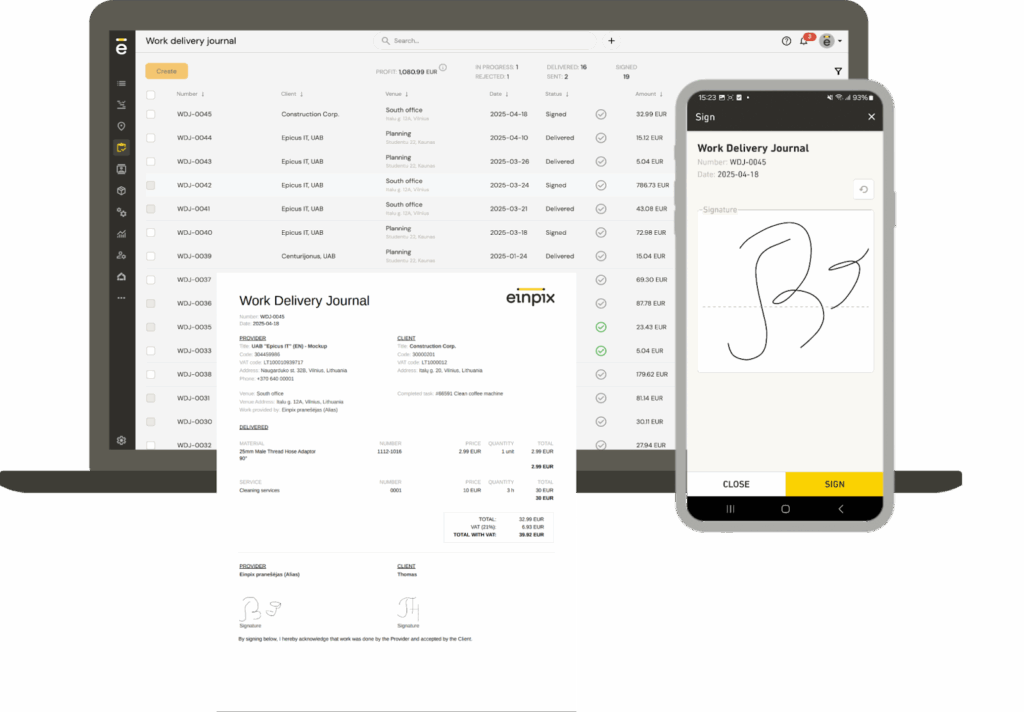
- Generate work acceptance acts and collect client signatures on-site, helping speed up cashflow once jobs are completed
For field service teams, these tools often go a step further – offering mobile apps, GPS location tracking, and route optimisation so that engineers spend less time travelling and more time on billable work.
At its core, engineer scheduling software ensures no task is overlooked, resources are used efficiently, and clients get reliable, on-time service.
Benefits of engineer scheduling software
Improved productivity and efficiency
Engineer scheduling software allows managers to instantly see each engineer’s availability, skills, and current workload. This makes it easier to balance tasks, prevent overbooking, and ensure no one is stretched too thin. Real-time progress tracking also highlights delays or bottlenecks early, so you can adjust schedules and keep projects on track.
Enhanced customer satisfaction
Meeting deadlines is critical for maintaining client trust. Scheduling software helps you deliver jobs on time by assigning the right engineer to the right task at the right moment. Transparent project updates and clear communication also give clients confidence that work is progressing as promised, which strengthens relationships and encourages repeat business.
Streamlined workflow and fewer errors
Manual scheduling is prone to mistakes, like double bookings or forgotten tasks. Automation reduces these risks, while real-time updates ensure everyone is working from the same schedule. By cutting down on admin work and avoiding costly errors, your team can focus on delivering quality results instead of fixing avoidable issues.
Risk management and forecasting
Scheduling platforms don’t just show you today’s workload – they also give you the data to plan ahead. By analysing historical job data and performance trends, you can spot risks such as recurring delays, resource shortages, or budget overruns. This foresight allows you to take preventive action, allocate resources more effectively, and reduce the chance of costly project setbacks.
Collaboration features
Engineering projects typically involve cross-functional teams working on different parts of a project. Modern scheduling software includes collaboration tools such as shared dashboards, file attachments, and instant notifications. These features help keep everyone aligned, reduce miscommunication, and make it easier for engineers, managers, and clients to work together seamlessly.
Best field service engineer scheduling software: Comparison table
| Software | Best for… | Review Score | Pricing (from) |
| Einpix | All-round engineer scheduling functionality | ★ 5/5 – Capterra
★ 5/5 GetApp |
€12 per user/month (5+ users) |
| FieldPulse | Best for growing multi-trade field service teams | ★ 4.6/5 – Capterra
★ 4.7/5 – G2 |
Seat-based (prices unlisted) |
| GoodDay | Complex engineering projects & cross-functional coordination | ★ 4.7 – Capterra
★ 4.7 – GetApp |
Free; $4–$7 per user/month |
| BigChange | Real-time scheduling & route optimisation | ★ 4.5/5 – Capterra | £79.95 per user/month |
| Service Geeni | Asset & preventive maintenance management | ★ 3.4/5 – Google Play Store | ~£64 per user/month (higher tiers £100+) |
| Commusoft | Trades and mid-scale maintenance teams | ★ 4.7/5 – Capterra
★ 4.8/5 – G2 |
~£40–45 per user/month |
| Schedule it | Flexible, resource-rich scheduling across multiple views | ★ 4.9/5 – Capterra
★ 4.7/5 – G2 |
£15–25 per user/month |
| Clik | Zone/skills/qualification-based matching & custom filters | ★ 4.6/5 – Software Advice | ~£30–50 per user/month |
| JobStaq | Auto-scheduling & route visualisation | ★ 5/5 – Apple App Store | £7.50 per user/month (Bronze plan) |
| Joblogic | Full-service field ops with compliance & asset integration | ★ 4.3/5 – Capterra | £45 per user/month (UK Standard plan) |
| Totalmobile | Dynamic scheduling & workforce rostering | ★ 5/5 – G2 | ~£30 per user/month |
| RedZebra | Prioritisation & simple scheduling for incoming jobs | ★ 4.8/5 – Featured Customers
★ 4/5 – Cuspera |
Pricing unlisted |
| WorkPal | Real-time tracking & job status transparency | ★ 4.7/5 – Capterra
★ 3/5 – Apple App Store |
Pricing unlisted |
| Workever | Simple field service scheduling & job management | ★ 4.7/5 – Capterra | £29 per user/month |
| BigTime | Resource planning & professional services teams | ★ 4.5/5 – G2
★ 4.6/5 – Software Advice |
~$20– $35 per user/month |
| Simpro | Trade & field service businesses managing complex workflows | ★ 4/5 – Capterra
★ 4.2/5 – G2 |
Unlisted |
1. Einpix: Best overall engineer scheduling software
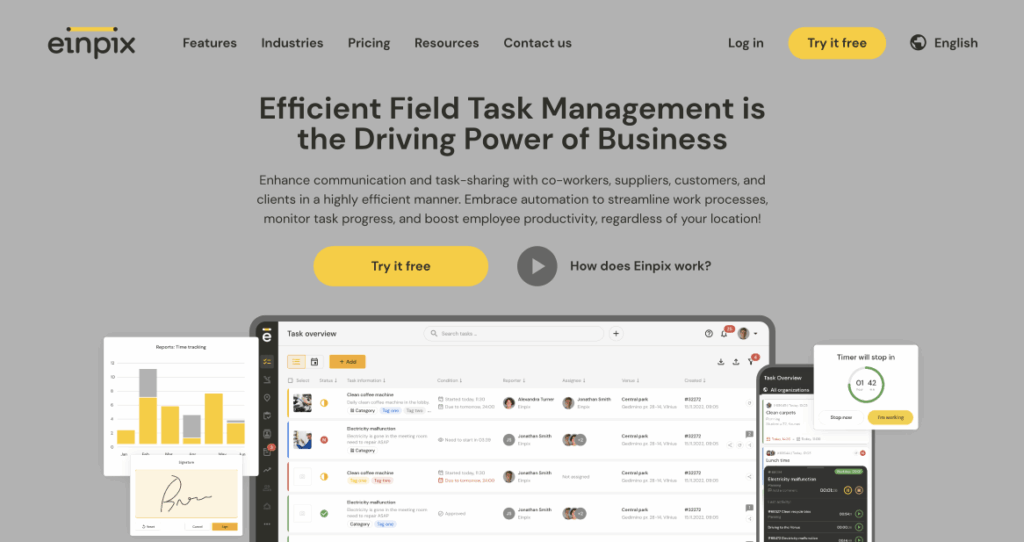
Einpix is an all-in-one field service management and scheduling tool designed to make life easier for engineering teams. It combines job scheduling, resource tracking, and client communication into a single platform – helping businesses improve efficiency while reducing costs. Businesses in a wide range of industries use Einpix for engineer scheduling, from construction to facility maintenance to cleaning services.
Best features
- Appointment scheduling and optimisation – Automatically assign jobs to the nearest available engineer to reduce travel time and serve more clients in a day. Einpix gives managers a clear overview of engineer availability, workloads, and locations in real time, making it easier to avoid scheduling conflicts or wasted journeys. By reducing unnecessary travel and improving response times, businesses can complete more jobs without increasing headcount or overtime costs.
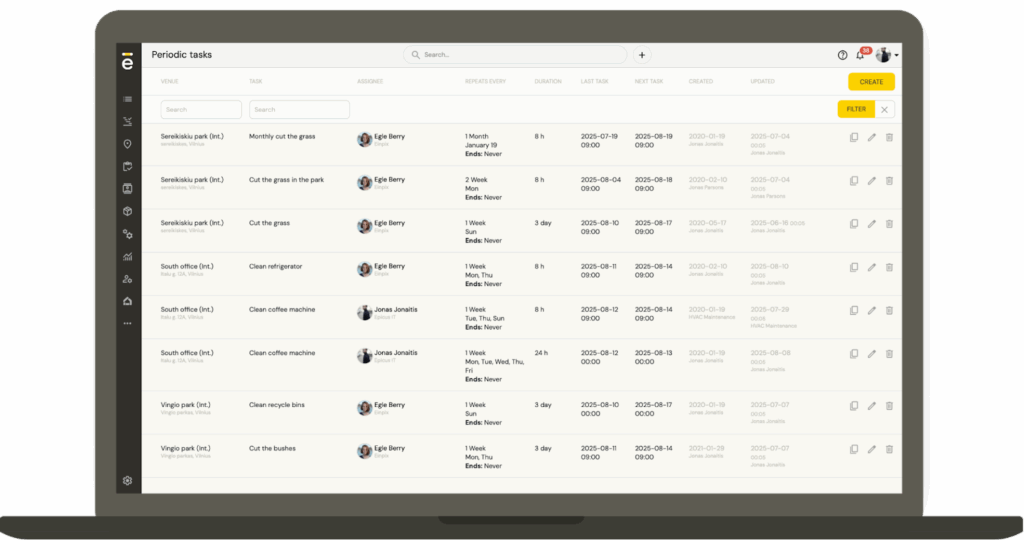
- Planned preventive maintenance – Schedule recurring maintenance tasks in advance, reducing the risk of costly equipment failures. Instead of waiting for assets to break down, teams can proactively inspect and service equipment based on fixed intervals or maintenance schedules. This helps extend asset lifespan, minimise downtime, and improve customer satisfaction through more reliable service delivery.
- Time & location tracking – Monitor job progress in real time, track hours worked, and see which engineer is closest to the next job site. This visibility helps managers make quick scheduling decisions when urgent jobs come in or appointments change unexpectedly. Accurate time tracking also supports payroll, invoicing, and client reporting by ensuring work hours are logged correctly.
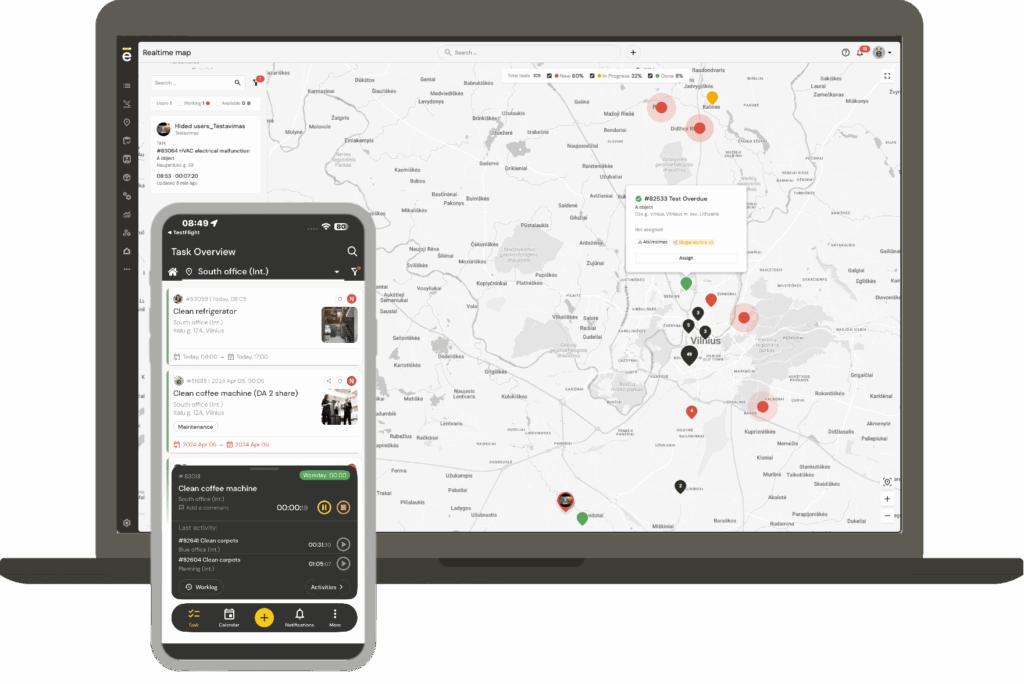
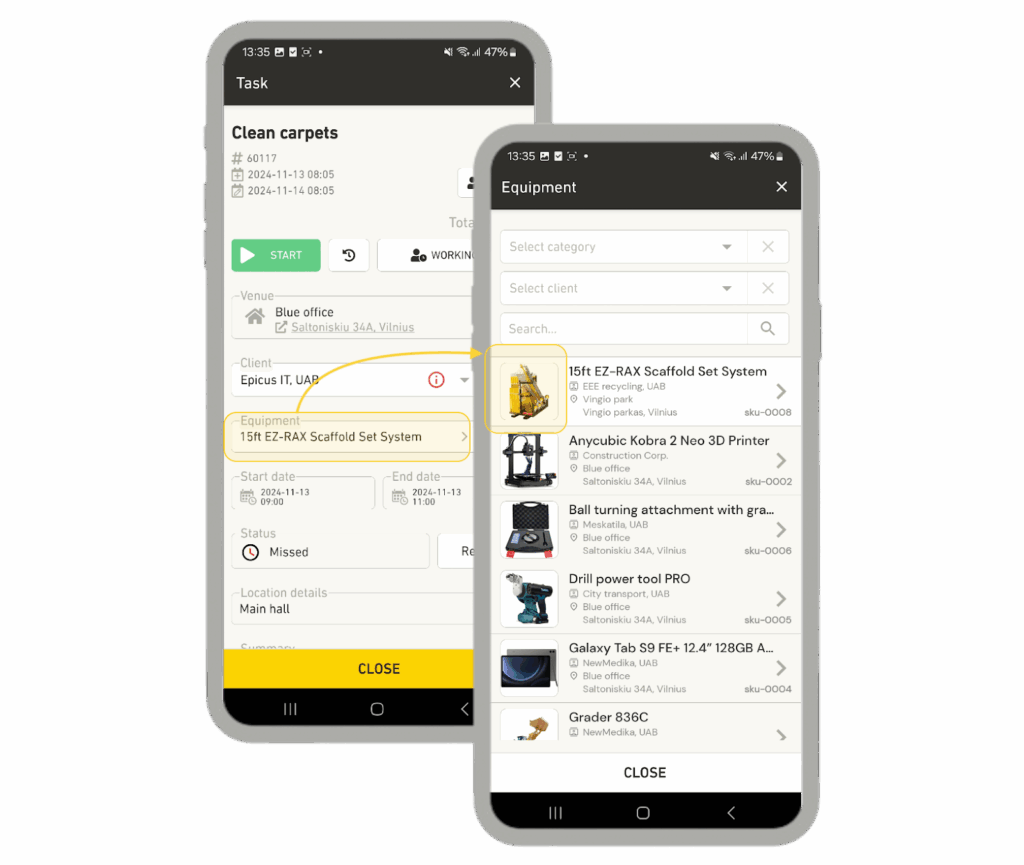
- Mobile accessibility – Engineers can access work orders, customer details, and equipment history via the mobile app, even offline. This reduces the need for phone calls back to the office and ensures field staff always have the latest job information at hand. Engineers can also upload photos, update statuses, and capture client signatures directly from site, helping speed up administration and communication.
- Accessible API – Seamlessly integrate with other tools in your tech stack for automated workflows and custom reporting. Businesses can connect Einpix with CRMs, accounting tools, inventory systems, and other third-party platforms to avoid duplicate data entry and streamline operations. The API also opens the door to custom dashboards, automations, and reporting tailored to your business processes.
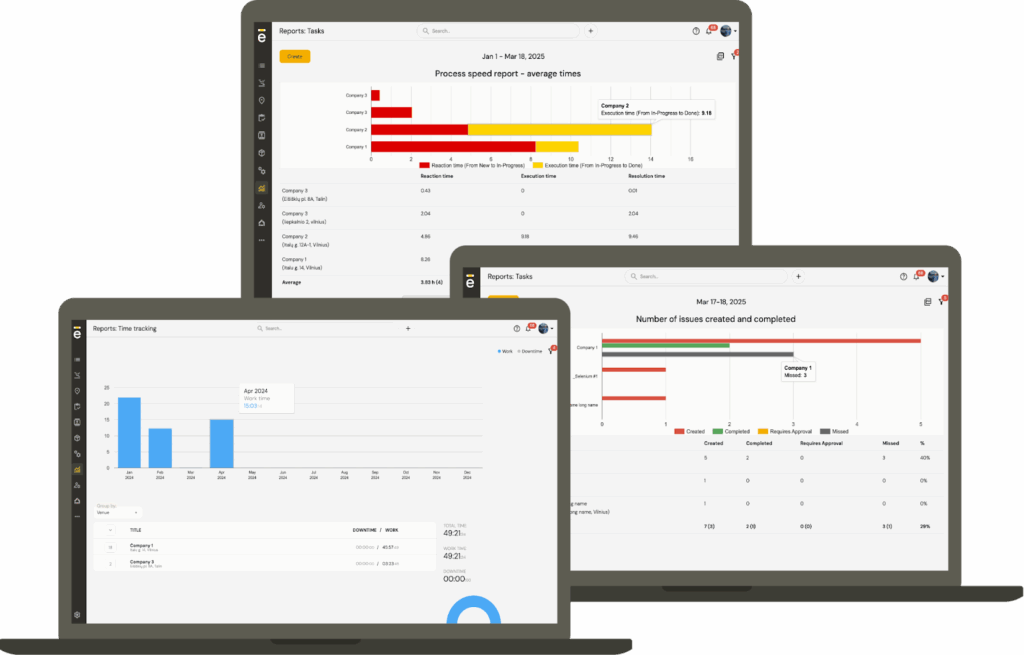
- Reporting and analytics – Access detailed data on task durations, engineer performance, and customer satisfaction to optimise operations. Managers can use these insights to identify bottlenecks, compare estimated vs. actual job times, and spot areas where additional training or resources may be needed. Over time, this data helps businesses improve forecasting, profitability, and overall operational efficiency.
- Collaboration & communication – Share job details, documents, and messages in real time with engineers, clients, and contractors. Having all communication linked directly to tasks reduces the risk of missed updates or disconnected conversations across multiple tools. This helps office teams and engineers stay aligned throughout the entire job lifecycle, improving accountability and response times.
- Work order management – Create, update, and close work orders digitally, cutting down on paperwork and errors. Engineers can access all relevant job information in one place, including task descriptions, service history, attached documents, and customer notes. This improves record-keeping accuracy while helping teams complete jobs faster and maintain clearer audit trails.
- Route planning – Provide engineers with the most efficient travel routes, saving time and fuel. Managers can visualise where engineers are located and assign nearby jobs to reduce unnecessary mileage and delays. Better route planning not only lowers operational costs but also helps businesses respond to customer requests faster.
Pros
👍 Affordable pricing with discounts for annual plans
👍 Easy to use no specific software knowledge required
👍 Mobile apps for iOS and Android with offline support
👍 Real-time reporting and GPS tracking for full visibility
👍 Highly flexible API for integrations
👍 High-quality support
Cons
👎 Best suited for teams with 5+ users (entry plan minimum)
Pricing
Plans start at €12 per user per month (minimum 5 users). Annual subscriptions save an additional 15%.
Review scores
★ 5/5 – Capterra | ★ 5/5 GetApp
2. FieldPulse: Best for growing multi-trade field service teams
Best features:
- Drag-and-drop scheduling and dispatching with GPS tracking, conflict alerts, and multi-team views
- Route optimization with automatic customer arrival-time notifications
- Work order management with custom workflows and real-time field updates
- Estimates, invoices, and payments with QuickBooks sync
- Inventory tracking across trucks, warehouses, and job sites
- ClearPath custom workflows that match how each trade actually runs
Pros:
👍 Customizable fields, forms, and workflows — no developer needed
👍 US-based support through onboarding and beyond
👍 Customers grow 78% year over year on average
Cons:
👎 Not built for solo operators
👎 No Sage integration for enterprise teams
Pricing
Seat-based with no tiers. Back-office and field-only seats are priced separately, so you don't overpay for access people won't use. A 20-minute demo gets a real number.
Review scores
★ 4.6/5 – Capterra | ★ 4.7/5 – G2
3. GoodDay: Best for complex engineering projects & cross-functional coordination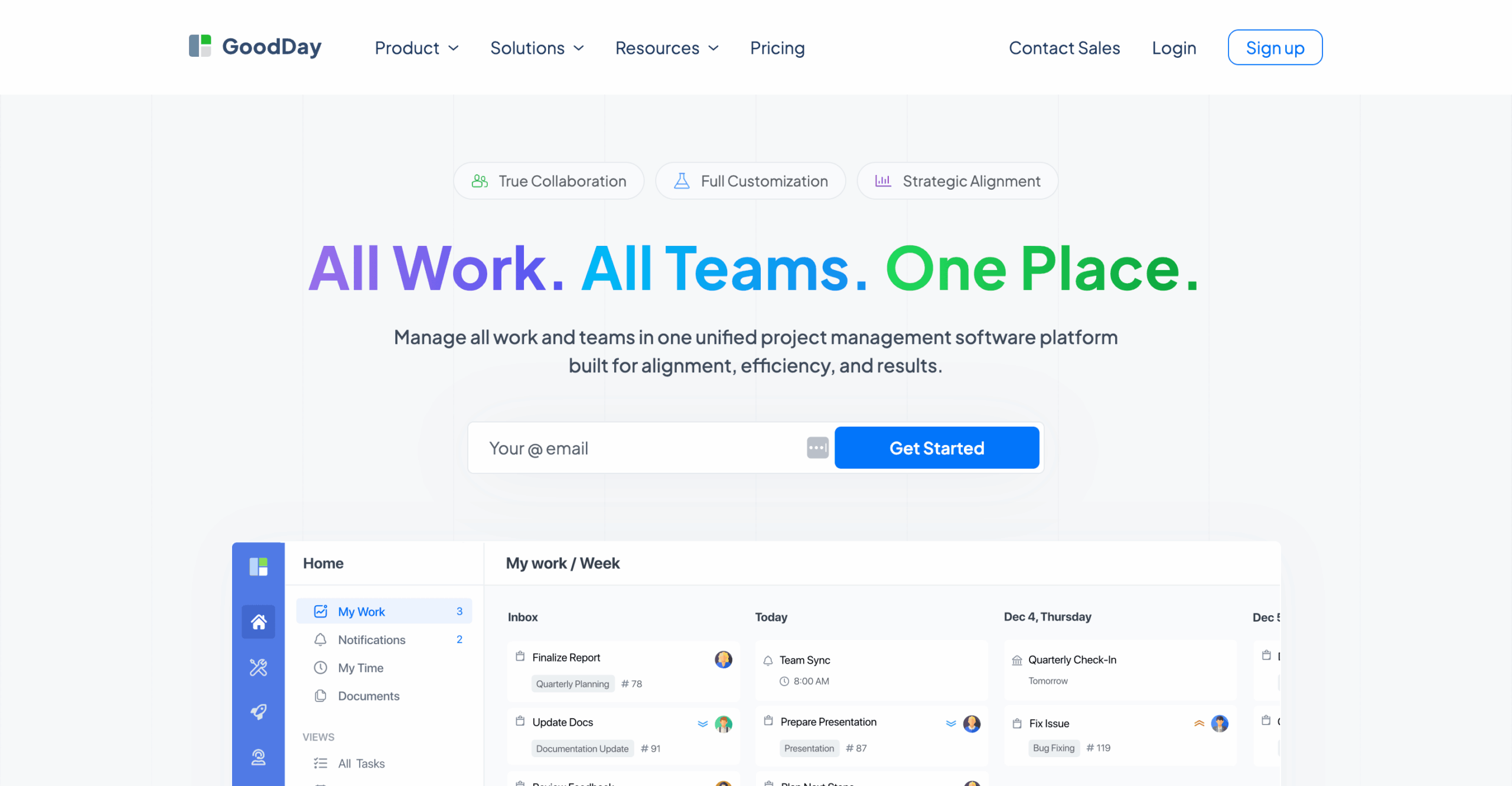
GoodDay is an all-in-one project management platform suited to engineering teams managing complex, long-term projects and multiple workstreams. It combines project scheduling, workload and resource management, advanced Gantt charts, task dependencies, automation, reporting, time tracking, CRM, and AI. Its unlimited project hierarchy helps teams structure large engineering projects into manageable phases, projects, and tasks.
Best features
- Gantt charts & task dependencies – Build detailed project schedules, connect dependent tasks, monitor timelines, and adjust plans as engineering projects progress.
- AI chat & agents: Use built-in AI to work with project and task context, summarize information, analyze work, and support routine workflows.
- Time tracking – Track time spent on individual tasks and projects to compare planned and actual effort and improve future scheduling.
- Unlimited project hierarchy – Structure complex engineering work into projects, subprojects, tasks, and additional levels without being restricted to a simple project/task structure.
- Workflow automation – Automate repetitive workflow steps and create recurring tasks and events for work that follows a regular schedule.
- Workload & resource management – Visualise team capacity and workload to identify available resources, balance assignments, and reduce overbooking across engineering projects.
Pros
👍 Multiple planning views, including Gantt, calendar, and Kanban board
👍 Combines scheduling, project management, time tracking, automation, and reporting
👍 Strong workload and resource management for project-based engineering teams
👍 Unlimited project hierarchy is useful for large, multi-stage engineering projects
👍 Free plan for teams of up to 15 users
Cons
👎 Workload and resource management requires the Business plan
👎 Broad customisation options may require more initial configuration
Pricing
GoodDay offers a free plan for up to 15 users. The Professional plan costs $4 per user/month and adds Gantt views, time tracking, unlimited automations, custom fields, advanced reporting and analytics, and API access. The Business plan costs $7 per user/month and adds workload and resource management, finance tools, AI Chat & Agents, CRM, Customer Portal, project baselines, and expense tracking. Enterprise pricing is available on request.
Review scores
★ 4.7/5 – Capterra | ★ 4.7/5 GetApp
4. BigChange: Best for real-time scheduling & route optimisation
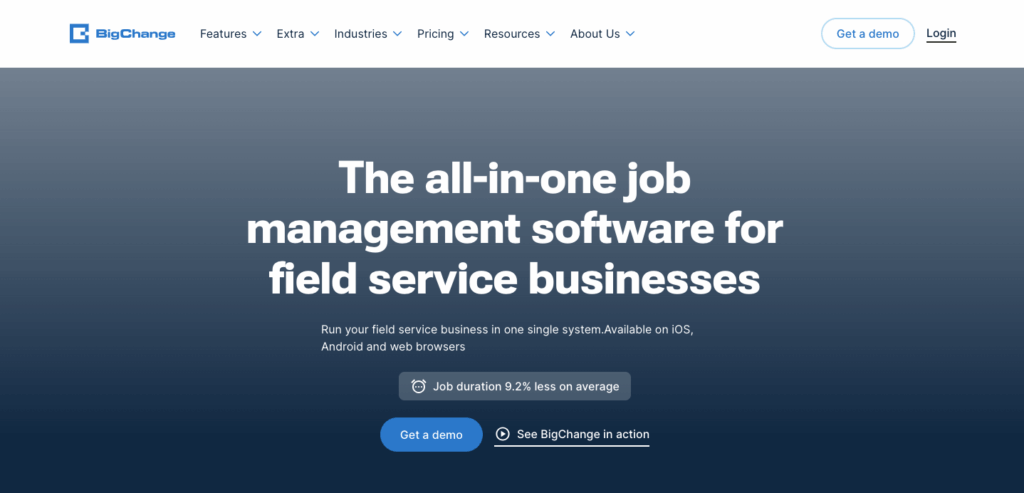
BigChange is a field service management platform built for businesses with busy mobile workforces and fast-changing schedules. It’s particularly well suited to service companies that need strong route optimisation, live engineer tracking, and close coordination between office teams and field staff. One of BigChange’s biggest strengths is its focus on real-time scheduling and travel efficiency, making it a strong option for businesses handling high volumes of daily jobs.
Best features
- Drag-and-drop scheduling – Quickly create, assign, or reassign jobs, with instant updates sent to engineers via the mobile app.
- Route optimisation & What3words navigation – Plan efficient travel routes to reduce fuel costs and emissions, while engineers can use the What3words integration to reach hard-to-find job sites.
- Skills matching & stock management – Automatically assign jobs to engineers with the right skills and vehicle, while checking parts availability across stock locations.
- Offline mobile working – Engineers can complete jobs, capture signatures, and upload forms without an internet connection.
- Preventive maintenance scheduling – Automatically generate recurring maintenance jobs at set intervals.
- Accounting integrations – Sync invoices and financial data with platforms like Xero and Sage.
Pros
👍 Real-time coordination between office and field teams
👍 Route optimisation reduces travel time and costs
👍 Strong booking and skills-matching features for first-time fixes
Cons
👎 Setup and training can be complex for new users
👎 Some advanced features add cost and complexity
👎 Mobile offline functionality has limitations in remote areas
Pricing
Pricing starts from around £79.95 per user per month in the UK, with higher tiers offering enhanced scheduling, reporting, and tracking capabilities.
Review scores
★ 4.5/5 – Capterra
5. Service Geeni: Best for asset & preventive maintenance management
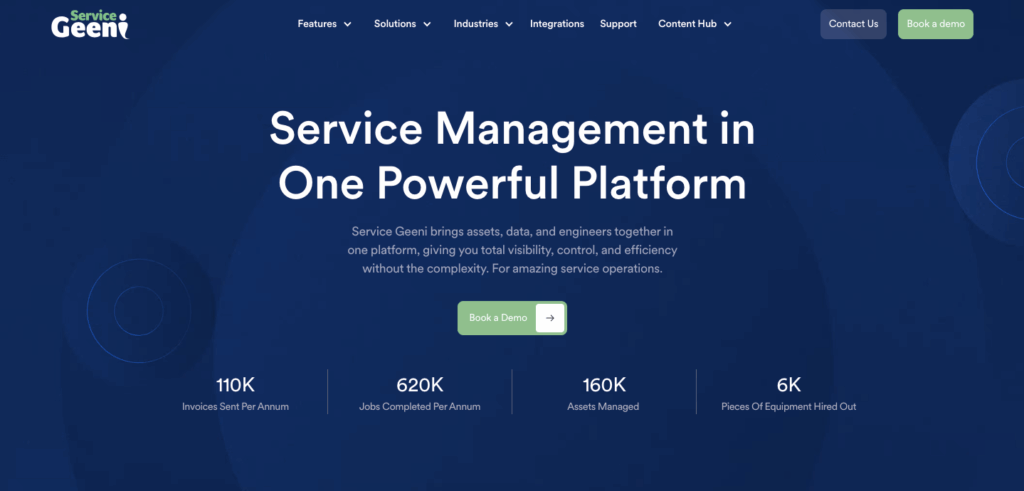
Service Geeni is a field service platform designed for businesses that manage large volumes of equipment, assets, and maintenance contracts. It’s especially useful for engineering and facilities teams that need detailed asset histories, preventive maintenance scheduling, and stock visibility in one system. Unlike many scheduling tools that focus mainly on dispatching, Service Geeni takes an asset-centric approach that prioritises long-term equipment management and service performance.
Best features
- Job scheduling & skills/location matching – Assign both reactive and planned jobs, matching the right engineer based on skillset, vehicle, and current location; includes Google Maps integration.
- Parts, stock & mobile app support – Engineers can view and order parts on site, check stock levels across locations, and access service history, risk assessments, and notes via the mobile app.
- Planned preventive maintenance & asset management – Receive reminders when services are due, track asset history, and prevent breakdowns with proactive maintenance.
- Asset-centric workflows – Manage jobs, service history, and maintenance schedules around specific assets and equipment.
- Live inventory visibility – Engineers can check stock levels and order parts directly from the mobile app.
Pros
👍 Helps improve first-time fix rates by matching jobs with the right engineer
👍 Strong tools for parts and stock control reduce delays caused by unavailable materials
👍 Mobile app gives engineers access to all relevant info on site
Cons
👎 Setup and configuration can be time-consuming
👎 Integrating all modules may add cost and training requirements
👎 Smaller teams may find some features unnecessary
Pricing
Service Geeni doesn’t list prices publicly, but third-party sources suggest plans start at around €64 per user per month, with higher tiers reaching over €100 per user per month.
Review scores
★ 3.4/5 – Google Play Store
6. Commusoft: Best for trades and mid-scale maintenance teams
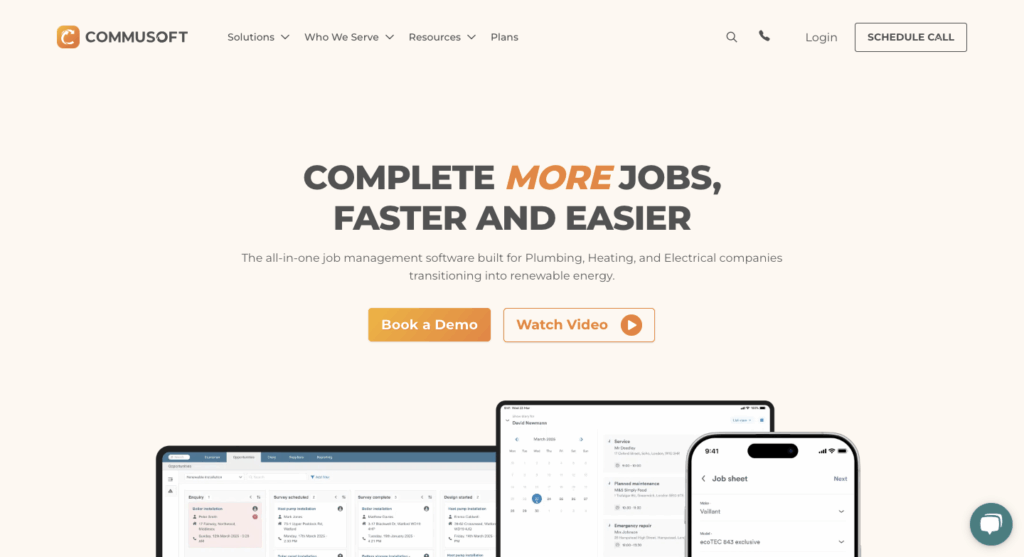
Commusoft is a UK-based field service management platform aimed primarily at trades, maintenance, and property service businesses. It combines scheduling, customer communication, and job tracking into a single platform, making it particularly attractive for growing service teams that want to reduce admin while improving customer experience. Its mix of smart scheduling and automated customer updates helps it stand out in the trades and maintenance market.
Best features
- Smart scheduling & route optimisation – Drag-and-drop diary functionality plus route calculation that considers shifts, skills, and travel times.
- Mass scheduling + service windows – Ability to schedule many jobs at once, with service windows for customer flexibility.
- Mobile field app with asset history – Engineers can update status, access job details and equipment history, capture signatures, and sync with the office in real time.
- Customer notifications – Automatically send SMS and email updates about appointments and engineer arrival times.
- Job costing tools – Track labour, materials, and profitability across jobs in real time.
- AI-assisted scheduling – Optimise engineer assignments and travel routes automatically.
Pros
👍 Real-time updates strengthen coordination between office and field teams
👍 Flexible scheduling tools maximise job coverage and reduce travel time
👍 Strong customer communication tools (reminders, service windows)
Cons
👎 Onboarding can be steep for smaller teams
👎 Route optimisation and mass scheduling available only on higher-tier plans
👎 Offline limitations may affect engineers in remote areas
Pricing
Commusoft doesn’t publish detailed prices, but plans are priced per license, per month and usually require a 12-month contract. Estimates suggest pricing starts from around €40 – €45 per user per month.
Review scores
★ 4.7/5 – Capterra | ★ 4.8/5 – G2
7. Schedule it: Best for flexible, resource-rich scheduling across multiple views
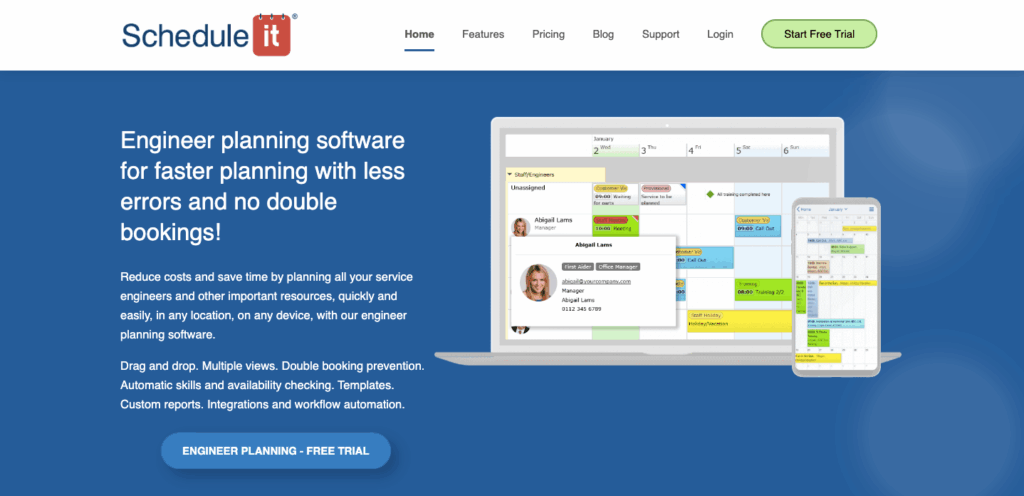
Schedule it is a flexible scheduling platform built for organisations managing a mix of engineers, equipment, vehicles, meeting spaces, and other shared resources. It’s particularly useful for businesses with complex scheduling needs that require multiple planning views, detailed categorisation, and conflict prevention tools. Unlike many field-service-first platforms, Schedule it places a strong emphasis on resource management beyond just mobile engineers.
Best features
- Drag-and-drop scheduling with conflict checks – Prevent double bookings and skills mismatches.
- Multiple views & tags – Timeline, calendar, map, Gantt, and board views, plus tags to categorise jobs and resources.
- Mobile updates & client sign-off – Engineers can update job status, capture signatures, and access details via mobile devices.
- Custom booking forms – Create tailored forms for engineers, customers, or internal workflows.
- Resource scheduling – Manage rooms, vehicles, equipment, and staff from the same scheduling platform.
Pros
👍 Prevents scheduling errors and boosts visibility across jobs and resources
👍 Flexible views help organise large workloads
👍 Mobile updates reduce lag between field and office
Cons
👎 Setup and categorisation can take effort
👎 Some advanced functions may require higher-tier plans
👎 No fully automated scheduling engine
Pricing
Plans are priced per user per month, starting at around €15– €25 per user/month for smaller teams, with higher costs for enterprise features.
Review scores
★ 4.9/5 – Capterra | ★ 4.7/5 – G2
8. Clik: Best for zone/skills/qualification-based matching & custom filters
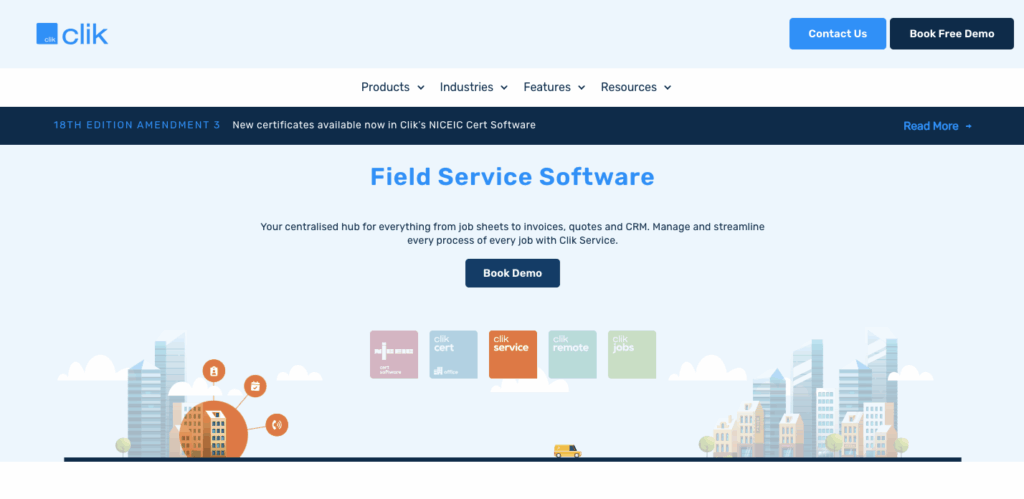
Clik is a field service scheduling platform designed for businesses that need detailed control over engineer assignments. It’s especially suited to companies working across multiple regions or service areas where engineer qualifications, certifications, and geographic zones all need to be considered during scheduling. Clik stands out for its highly configurable filters and engineer-matching capabilities, giving schedulers more precision when assigning work.
Best features
- Zones, skills & qualifications filtering – Assign engineers automatically based on their qualifications and assigned work zones.
- Custom schedules & filters – Save views, colour-code schedules, and filter by department or region.
- Site visit history – See which engineer last visited a site for continuity and efficiency.
- Colour-coded scheduling – Highlight engineers, job types, or priorities with custom colour coding.
- Diary conflict alerts – Automatically flag double bookings and scheduling clashes.
- Engineer availability tracking – Monitor holidays, absences, and engineer workloads in real time.
Pros
👍 Customisable filters improve visibility and reduce admin
👍 Skills/zone matching ensures the right engineer is assigned
👍 Continuity through recent site visit tracking
Cons
👎 Setup and configuration can be time-consuming
👎 Advanced customisation may not be needed for smaller teams
👎 Limited offline usability in remote areas
Pricing
Clik doesn’t publish public pricing; estimates suggest starting from around €30 – €50 per user per month, depending on modules.
Review scores
★ 4.6/5 – Software Advice
9. JobStaq: Best for auto-scheduling & route visualisation
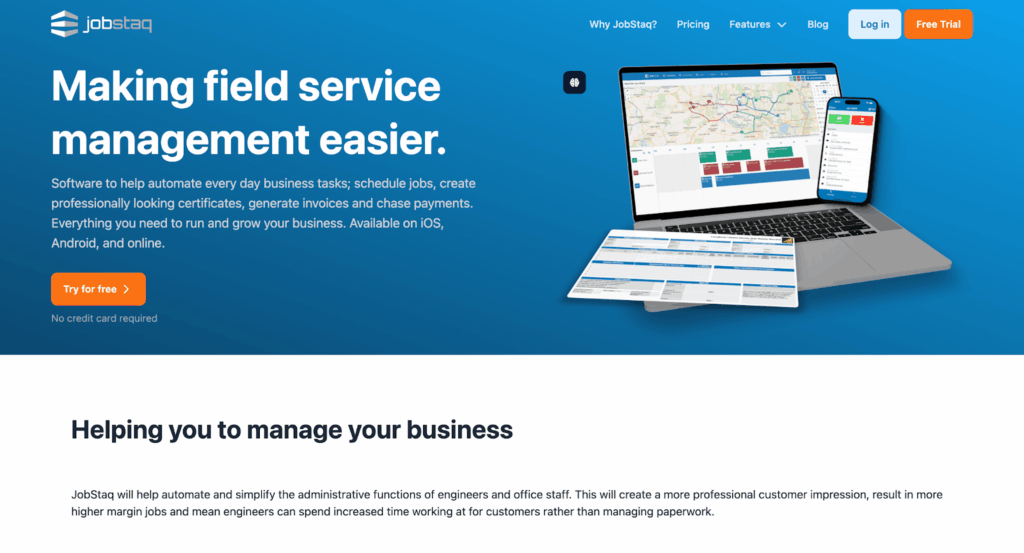
JobStaq is a scheduling and dispatch platform built for field service businesses that want to reduce manual planning and improve travel efficiency. It’s particularly well suited to smaller and mid-sized service teams looking for automated scheduling suggestions, route visualisation, and simple workforce planning tools. Its map-based scheduling interface and affordable pricing make it an appealing option for growing businesses that need better visibility without enterprise-level complexity.
Best features
- Auto-scheduling & skills matching – Suggests slots based on engineer skills, duration, and location.
- Map view for jobs – See all jobs by area to optimise routes.
- Recurring events & shift controls – Manage leave, shifts, and recurring tasks easily.
- Customer departure alerts – Automatically notify customers when engineers are on the way.
- Recurring job scheduling – Schedule repeat maintenance or service visits in advance.
Pros
👍 Reduces travel costs and idle time
👍 Flexible leave/shift management prevents over-scheduling
👍 Notifications improve communication with clients
Cons
👎 Works best with accurate skills and location data
👎 May be overkill for very small teams
👎 Offline/mobile usability not clearly defined
Pricing
JobStaq offers the following plans:
- Bronze: £7.50 per user/month
- Silver: £15 per user/month
- Gold: £25 per user/month
Review scores
★ 5/5 – Apple App Store
10. Joblogic: Best for full-service field ops with compliance & asset integration
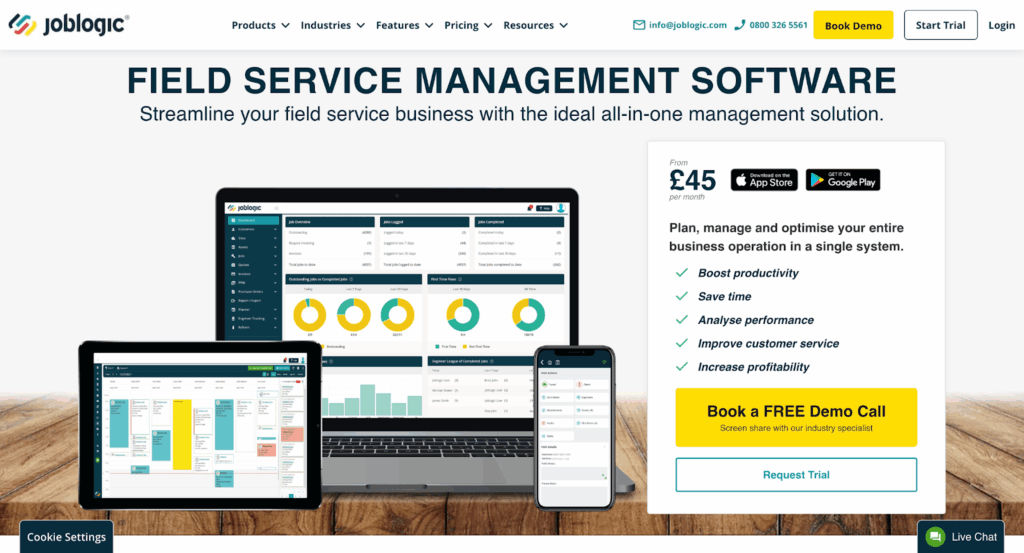
Joblogic is a comprehensive field service management platform aimed at businesses handling maintenance contracts, compliance requirements, and asset-heavy operations. It combines scheduling with invoicing, stock management, asset tracking, and certification tools, making it particularly popular in facilities management and compliance-driven industries. Its broad feature set makes it a strong fit for businesses that want operational management and scheduling within the same platform.
Best features
- Drag-and-drop scheduling & maps – Assign jobs visually and plan routes.
- Recurring jobs & status tracking – Simplify contracts with recurring schedules and colour-coded statuses.
- Mobile engineer app with GPS tracking – Real-time engineer updates and location tracking.
- Compliance certificate management – Generate and store service certificates and compliance records digitally.
- Asset tracking – Maintain detailed service histories for customer equipment and assets.
- Integrated invoicing – Convert completed jobs into invoices directly within the platform.
Pros
👍 Integrated with invoicing, stock, and compliance tools
👍 Tracks asset history for regulatory compliance
👍 Real-time visibility for schedulers and engineers
Cons
👎 Higher cost compared to simpler tools
👎 Complex setup and training may be required
👎 Overkill for small teams
Pricing
Pricing starts at around £45 per user/month in the UK (US$59 internationally) for the Standard plan, with higher tiers available.
Review scores
★ 4.3/5 – Capterra
11. Totalmobile: Best for dynamic scheduling & workforce roster integration
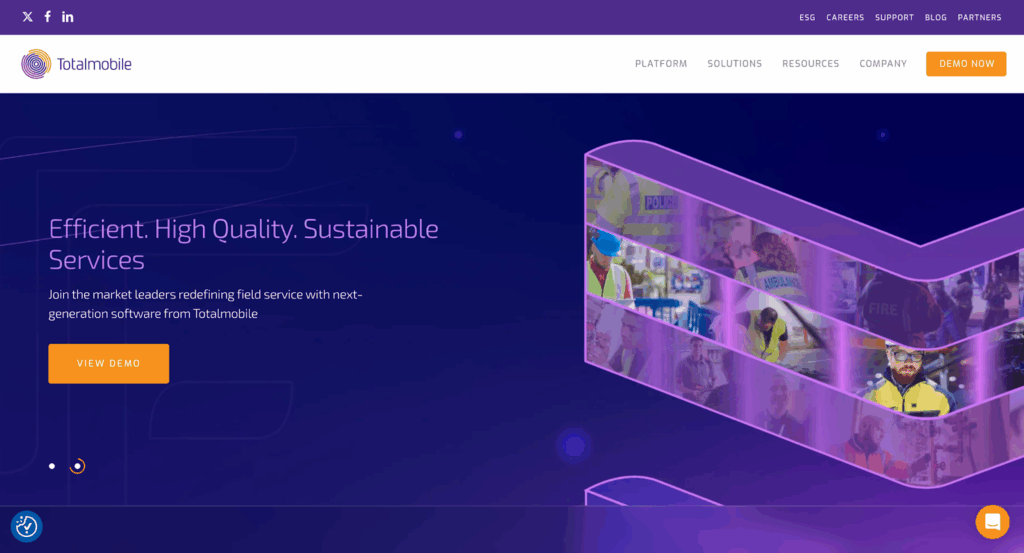
Totalmobile is an enterprise-focused workforce management platform designed for organisations with large mobile teams and constantly changing schedules. It’s especially useful for businesses that need dynamic rescheduling, workforce rostering, and real-time operational visibility across multiple teams or regions. Totalmobile’s strength lies in its ability to adapt schedules quickly as priorities shift throughout the day.
Best features
- Dynamic scheduling – Reschedule instantly when jobs overrun or engineers are unavailable.
- Smart assignment – Matches engineers by skills, location, and availability.
- Workforce rostering & dashboards – Plan shifts, track job statuses, and monitor performance.
- Workforce rostering – Manage engineer shifts, rotas, and availability from a central dashboard.
- Real-time rescheduling – Reassign jobs instantly when priorities or engineer availability changes.
Pros
👍 Strong for large service organisations needing agility
👍 Mobile-ready for field staff
👍 Analytics highlight bottlenecks and inefficiencies
Cons
👎 Aimed at enterprise budgets
👎 Onboarding can require cultural/process changes
👎 Connectivity may affect real-time functionality
Pricing
Pricing isn’t published, but third-party sources suggest starting at around £30 per user/month, depending on scale and modules.
Review scores
★ 5/5 – G2
12. RedZebra: Best for prioritisation & ease for incoming jobs
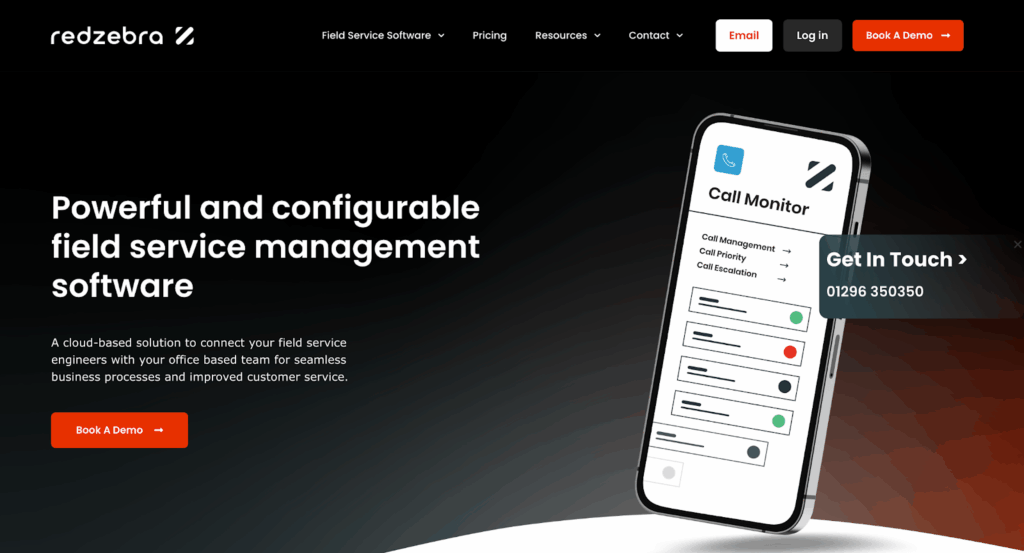
RedZebra is a straightforward job scheduling platform designed for businesses handling high volumes of incoming or reactive service work. It focuses on making engineer scheduling fast and easy, with clear calendar views, colour-coded priorities, and simple drag-and-drop functionality. This makes it particularly useful for smaller service businesses that want scheduling visibility without the complexity of larger enterprise systems.
Best features
- Drag-and-drop calendar view – Assign jobs quickly with an Outlook-style diary.
- Colour-coded prioritisation – Mark urgent jobs for faster response.
- Mobile access – Engineers can access schedules on any device.
- Outlook-style calendar view – Manage engineer schedules through a familiar drag-and-drop diary interface.
- Priority-based scheduling – Flag urgent or high-priority jobs for faster dispatch.
Pros
👍 Easy to use for reactive scheduling
👍 Visual clarity helps reduce missed jobs
👍 Clear overview of leave and availability
Cons
👎 Fewer advanced features (route optimisation, forecasting)
👎 Limited asset or stock modules
👎 Less suited for large-scale scheduling
Pricing
Pricing is not listed publicly; contact vendor for details.
Review scores
★ 4.8/5 – Featured Customers | ★ 4/5 – Cuspera
13. WorkPal: Best for real-time tracking & job status transparency

WorkPal is a field service scheduling platform focused on improving visibility between office teams and field engineers. It’s well suited to businesses that need live updates on job progress, engineer availability, and scheduling changes throughout the day. One of its standout features is its emphasis on real-time status tracking, helping businesses reduce communication delays and keep everyone aligned.
Best features
- Live scheduling & job-status tracking – Updates on whether jobs are not started, in progress, paused, or complete.
- Customisable colours & absence blocking – Avoid scheduling errors with custom statuses and absence tracking.
- Scheduling map & mobile dispatch – Drag-and-drop scheduling with mobile sync.
- Live job status updates – Track whether jobs are pending, active, paused, or complete in real time.
- Absence blocking – Prevent engineers from being assigned work during holidays or leave periods.
- Scheduling map view – Visualise engineer locations and scheduled jobs on a live map.
Pros
👍 Improves transparency for office and field staff
👍 Customisable job statuses
👍 Mobile-ready for fast updates
Cons
👎 Fewer advanced features compared to full FSM suites
👎 May get complex for very large teams
👎 Offline functionality not clearly detailed
Pricing
Pricing is not publicly listed; expect per-user monthly licensing.
Review scores
★ 4.7/5 – Capterra | ★ 3/5 – Apple App Store
14. Workever: Best for simple field service scheduling & job management

Workever is a field service management platform aimed at trades and service businesses that want an easy-to-use system for scheduling, invoicing, and job tracking. It’s particularly well suited to small and mid-sized businesses looking for an all-in-one platform without the complexity of larger enterprise tools. Workever stands out for combining scheduling, quoting, invoicing, and GPS tracking in a relatively simple and accessible interface.
Best features
- Drag-and-drop scheduling – Schedule and reassign jobs quickly using a visual planner with real-time updates for field staff.
- GPS tracking – View the live location of field engineers and assign work based on proximity.
- Quotes, invoices & payments – Create quotes and invoices directly within the platform and collect customer payments digitally.
- Mobile job management – Engineers can update job statuses, complete forms, upload photos, and collect signatures from the mobile app.
- Workflow automation – Automate reminders, notifications, and status updates to reduce manual admin.
Pros
👍 Easy-to-use interface with minimal setup required
👍 Combines scheduling, invoicing, and job management in one system
👍 Mobile apps provide real-time updates between office and field teams
Cons
👎 Advanced customisation may be more limited than enterprise-focused platforms
👎 Some users report occasional mobile syncing issues
Pricing
Workever offers tiered pricing starting from £29 per user/month for the Base plan, with no contracts and a 30-day free trial available.
Review scores
★ 4.7/5 – Capterra
15. BigTime: Best for resource planning & professional services teams
BigTime is a resource management and project operations platform built primarily for professional services businesses such as engineering consultancies, IT firms, architects, and project-based service teams. Unlike field-service-first platforms, BigTime focuses heavily on resource forecasting, capacity planning, and project profitability, making it especially useful for businesses managing long-term projects and billable engineering work. Its strongest USP is the combination of scheduling, time tracking, budgeting, and utilisation reporting within a single platform.
Best features
- Resource forecasting – Forecast team capacity, utilisation, and project demand to identify resourcing gaps before they impact delivery.
- Skills-based resource allocation – Assign engineers and project staff based on availability, skills, certifications, and workload.
- Project profitability tracking – Monitor budgets, billable hours, utilisation rates, and project margins in real time.
- Integrated time & expense tracking – Employees can log time and expenses directly against projects for more accurate billing and reporting.
- Workload management dashboards – Visualise team workloads to prevent overbooking and balance resources across projects.
Pros
👍 Strong resource forecasting and utilisation reporting tools
👍 Well suited to engineering consultancies and project-based service businesses
👍 Combines scheduling, budgeting, and profitability tracking in one platform
Cons
👎 More focused on professional services than reactive field service dispatch
👎 Advanced reporting and forecasting features may require onboarding/training
👎 Pricing can become expensive for larger teams or advanced functionality
Pricing
BigTime pricing is not fully public, but third-party sources suggest plans start from around $20– $35 per user/month, with higher-tier plans adding advanced resource planning, reporting, and financial management tools.
Review scores
★ 4.5/5 – G2 | ★ 4.6/5 – Software Advice
16. Simpro: Best for trade & field service businesses managing complex workflows
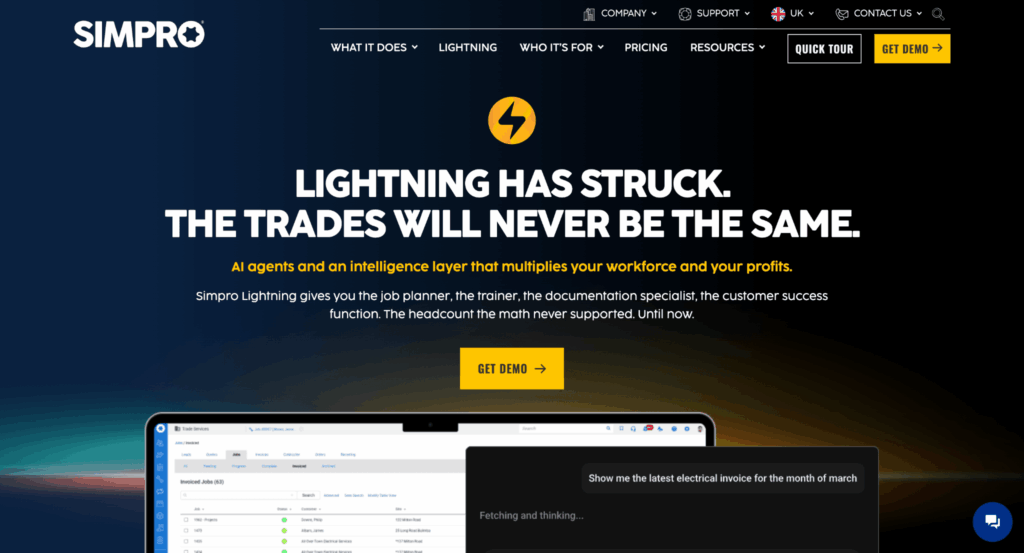
Simpro is a field service and job management platform designed for trade, maintenance, and project-based service businesses. It’s particularly well suited to companies managing a mix of reactive callouts, planned maintenance, and larger multi-stage projects, with tools covering scheduling, quoting, inventory, invoicing, and workforce management. Simpro stands out for combining field service scheduling with deeper operational management features like asset tracking, stock control, and project costing.
Best features
- Drag-and-drop scheduling – Schedule and reassign jobs quickly using a visual calendar with live updates for office and field teams.
- Real-time technician tracking – View engineer locations and job progress to improve dispatching and response times.
- Recurring maintenance scheduling – Automatically schedule preventive maintenance and recurring service work.
- Integrated inventory management – Track stock levels, materials, and equipment usage across jobs and warehouses.
- Mobile field service app – Engineers can access job details, upload photos, complete forms, and collect signatures on site.
- Quote-to-invoice workflows – Manage the full job lifecycle from estimating and quoting through to invoicing and payment collection.
Pros
👍 Strong all-in-one functionality covering scheduling, inventory, quoting, and invoicing
👍 Well suited to larger trade and field service businesses managing complex workflows
👍 Real-time technician tracking improves visibility and dispatch efficiency
Cons
👎 Broader feature set can increase onboarding and setup time
👎 More advanced functionality may be unnecessary for very small teams
👎 Pricing is not publicly transparent
Pricing
Simpro doesn’t publish pricing publicly, with costs tailored based on business size and required modules.
Review scores
★ 4/5 – Capterra | ★ 4.2/5 – G2
Engineer scheduling options: Project management vs. field service management software
When it comes to engineer scheduling software, businesses typically face two choices: adopt a project management tool or use field service engineer scheduling software. Both can help you organise teams and deliver work on time, but they’re built for different challenges.
Key differences at a glance
| Criteria | Project management software | Field service management software |
| Best suited for | Long-term, complex projects (e.g., construction, product development) | Short- to mid-term jobs that change frequently (e.g., maintenance, repairs, installations) |
| Scheduling style | Gantt charts, task dependencies, workload balancing | Real-time job assignments, drag-and-drop scheduling, route planning |
| Resource focus | Labour, equipment, and materials across project lifecycles | Field engineers, vehicles, parts, and stock levels |
| Collaboration | Dashboards, file sharing, milestones | Mobile apps, client notifications, digital work acceptance |
| Flexibility | Best for structured, sequential work | Best for reactive, on-demand work |
| Forecasting | Strong on budgeting, capacity planning, and risk analysis | Strong on SLA compliance and real-time tracking |
| Mobile access | Often available but less central | Mobile-first for field engineers |
In practice, many businesses use a mix of both approaches. For example, a construction company might use project management software to plan a large build, while also relying on field service software to coordinate daily inspections and maintenance tasks.
Features to look for in engineer scheduling software
The best engineer scheduling tools don’t just help you assign jobs – they give you the visibility, flexibility, and control to keep projects on track. Here are the key features to look out for:
- Dispatch charts and timeline views – Visual tools like Gantt charts or calendar timelines make it easy to see schedules at a glance, plan ahead, and adjust quickly when things change.
- Task dependencies – Link related tasks together so sequential work doesn’t get overlooked, helping complex projects run smoothly.
- Workload management – Balance team capacity by identifying who is overloaded and who has availability, reducing the risk of burnout.
- Recurring tasks – Automate repeated activities such as routine maintenance or inspections, cutting down on manual admin.
- Time-off management – Factor in holidays and leave to keep schedules realistic and prevent resource shortages.
- Due dates and notifications – Stay on top of deadlines with reminders and alerts, avoiding last-minute scrambles.
- Time tracking – Compare estimated vs. actual task durations to improve future planning and billing accuracy.
- Resource management – Allocate labour, equipment, and materials efficiently, avoiding clashes and bottlenecks.
- Collaboration tools – Shared dashboards, file attachments, and real-time updates keep engineers, managers, and clients aligned.
- Reporting and analytics – Use built-in dashboards to track progress, monitor KPIs, and identify areas for improvement.
- Mobile accessibility – Mobile apps let field engineers receive job details, log updates, and capture photos or signatures on-site.
- Integrations and APIs – Connect your scheduling software with other tools in your tech stack, from CRMs to invoicing systems.
- Scalability and flexibility – Ensure the platform can handle projects of varying size and complexity, and adapt as your business grows.
Choose the best engineer scheduling software
The right scheduling platform depends on your business size, industry, and priorities. If you need dynamic rescheduling, tools like Totalmobile or BigChange may suit you best. For asset-heavy businesses, Service Geeni and Joblogic excel at preventive maintenance and compliance. Tools like Schedule it and Clik shine if you want flexibility and advanced filtering, while JobStaq and WorkPal are great for travel efficiency and transparency. For cross-functional teams managing complex engineering projects, GoodDay provides a customizable platform for coordinating projects and automating workflows.
But if you’re looking for a solution that combines ease of use, affordability, and a complete feature set – Einpix is the best overall choice. From real-time scheduling and route optimisation to preventive maintenance, reporting, and mobile apps, it covers all the essentials without the high costs. Plus, with plans starting from just €12 per user/month, it’s one of the most cost-effective tools on the market.
Don’t just take our word for it – start your free trial of Einpix today and see how it can transform your engineer scheduling.
Want more tool recommendations? Check out:
👉 14 Best Facility Management Software Tools
👉 13+1 Best CAFM Software Tools
👉 17 Best Construction Management Software Tools
FAQs
What is the main difference between project management and field service scheduling software?
Project management tools are designed for long-term, structured projects with complex dependencies, while field service platforms are built for day-to-day job assignments, dispatching, and mobile workforce management.
How does engineer scheduling software improve customer satisfaction?
By ensuring the right engineer is sent to the right job at the right time, and by providing real-time updates, clients get faster service and better communication – leading to higher satisfaction and repeat business.
Can scheduling software help reduce operational costs?
Yes. Features like route optimisation, workload balancing, and stock tracking help reduce wasted travel time, overtime hours, and delays caused by unavailable parts – all of which lower costs.
Is engineer scheduling software suitable for small businesses?
Absolutely. Many platforms offer affordable entry-level plans that make sense for small teams, while still providing advanced scheduling and tracking features.
What features should I prioritise when choosing a tool?
Key features to look for include drag-and-drop scheduling, route optimisation, mobile accessibility, workload management, collaboration tools, and integrations with other business software (like invoicing or CRM).